 PC-BSD is a desktop-oriented distribution built atop FreeBSD. It provides all the goodies of FreeBSD for the desktop user, using primarily the K Desktop Environment. It is the most active BSD-based desktop distributions available, and its development is funded by iXsystems, Inc.
Origin – Home Page: USA – PC-BSD.
Features:
- Installation – PC-BSD has one of the best graphical installers. Better than Ubuntu’s and that of many other Linux distributions. There is support for the usual BSD filesystems and Oracle’s powerful ZFS. Disk encryption is supported. As of the version 8.1, specifying a boot loader password during installation is not supported.
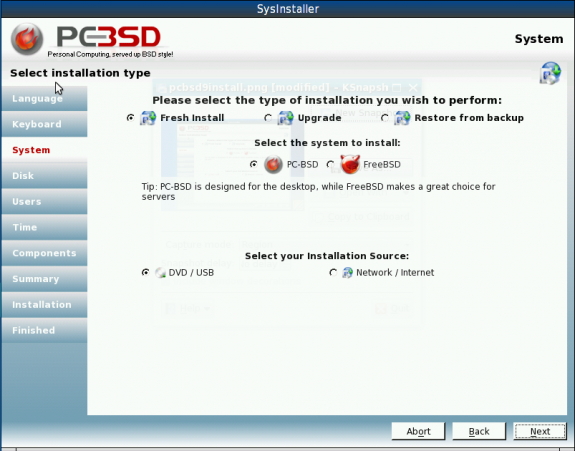
PC-BSD's graphical installation program
- Desktop Environments – PC-BSD is a K Desktop Environment (KDE) distribution. 3D desktop, using KDE’s OpenGL compositing effect is fully enabled out of the box.
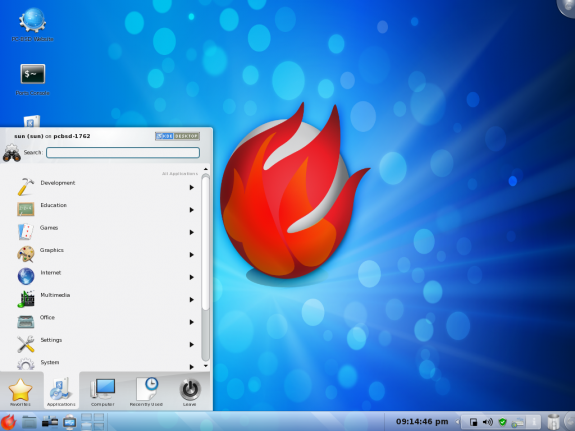
One of the "default" desktop backgrounds of PC-BSD 8
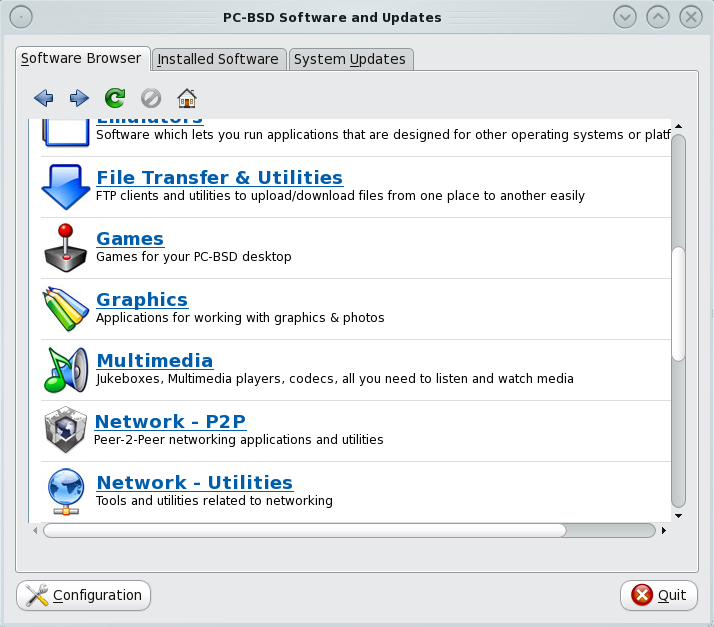
- Software Management – Binary applications are managed using pbiDIR, the graphical package manager. You can also compile applications from source from the ports tree. Though the updates notification tool is buggy and does not work (current as of PC-BSD 8.1), system and application updates work just fine from pbiDIR.

pbiDIR
- Installed Applications – PC-BSD comes loaded with enough applications to satisfy the daily computing needs of the average desktop users. It comes with both free and non-free applications. You will find Skype, the popular non-free VoIP application, for example, in the repository. All the desktop accessories and utilities of KDE are fully represented. Tons of games are installed by default.
- Admin Tools – Most of PC-BSD’s admin tools are accessible from KDE’s System Settings hub. A few are available from the menu. Applications can be compiled from the posts tree and binary packages can be installed from pbiDIR.
- Security Posture – PC-BSD has a very good security posture. For one, the firewall application, PF, is enabled and running out of the box. And the default configuration has users home directories confined in a jail. Full disk encryption is supported by the installer, and it is possible to password-protect the boot loader, though not during installation.
- Hardware Requirements – Both 32- and 64-bit architectures are supported.
Reviews & Tutorials:
[catlist id=78 numberposts=10]
See a complete list of PC-BSD reviews and tutorials here.
Recommendation: PC-BSD has all the features that it will take to make an excellent desktop distribution. However, it still has a lot of roughness to smooth out. It is still at least two more releases before I can begin to recommend it to new users. But if you want to see all the goodies that it has to offer, some of which are not available on a default installation of Linux distributions, then you are welcome to try it.
Buy PC-BSD:
The latest PC-BSD installation media are available for purchase at very low prices on  .
.