FreeNAS is a specialty distribution designed for build network attached storage (NAS) servers. It is based on FreeBSD and its development is sponsored by iXsystems, Inc., a software and hardware solutions provider based in San Jose, CA USA.
Originally based on M0n0Wall, a distribution designed for security and firewall purposes, the FreeNAS code was overhauled after it gained official support from iXsystems, Inc.
Like NAS4Free, a distribution derived from the old FreeNAS codebase, a distinguishing feature of FreeNAS is its use of ZFS, the Zettabyte File System, a file system most commonly regarded as the best file system on an operating system. ZFS is the file system designed for Sun Microsystems’ Solaris operating system. Aside from FreeBSD and the distributions that are based or derived from it (FreeNAS, NAS4Free, and PC-BSD), ZFS is also the file system used on illumos distributions.
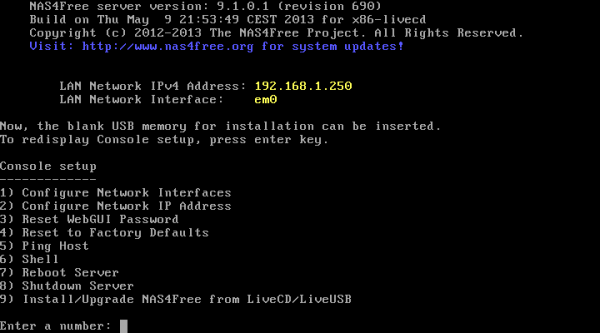
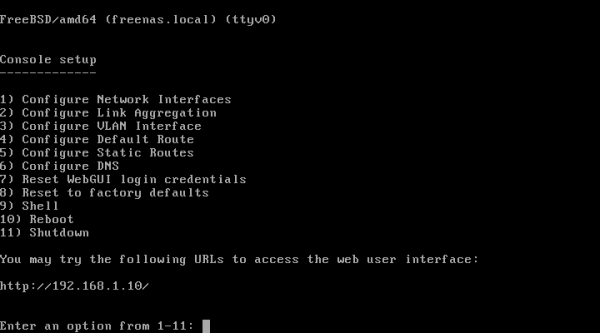
Installation: Like NAS4Free, the installation of FreeNAS is via an ncurses interface, and the whole process takes just about 5 minutes. The screen shot below show the options in the console setup screen.

Clicking the appropriate option in this window is all you need to do to start the installation process. The system may be installed to a hard disk drive (HDD), solid state drive (SSD), compact flash, or a USB stick.

Features & Administration: FreeNAS is designed to be configured from a Web-based graphical interface. Access to the Web GUI is via the IP address of the box it is installed on, and with automatic login enabled, no password is required to login for the first time. You are, however, required to set one up pronto. In this screen shot, that red alert button will be flashing until you set up a password for the admin account.

The rest of the screen shots show different aspects of the Web GUI and the supported features. The one below shows the menu categories and the buttons. As is obvious from this screen shot, you can setup FreeBSD-type Jails from the Web GUI.

This one shows the base services you can enable.

A plugin system allows the base services to be extended by any developer. By default, the available plugins provide BitTorrent, DLNA/UPnP, and iTunes/DAAP services.

How to add an Apple AFP Share.

How to add a UNIX NFS Share.

Adding a Windows CIFS Share.

This screen shot shows supported disk (ZFS and UFS) management options.

ZFS volume management options.

This shows the options used to set up periodic snapshots.

Snapshots can be replicated to remote hosts. This screen shot shows the options for getting that done.

On a ZFS filesystem, the scrub utility is the Linux equivalent of the fsck repair tool. Unlike fscking, scrubbing takes place on a live, mounted system, and both data and metadata can be checked for corruption. This screen shot shows the upper section of the ZFS scrub configuration window.

This one shows the lower part of the above window. On enterprise systems, scrubbing is recommended to be done once a month, and every week on consumer systems.

Download & Resources: Download installation images of the latest edition of FreeNAS from here.