

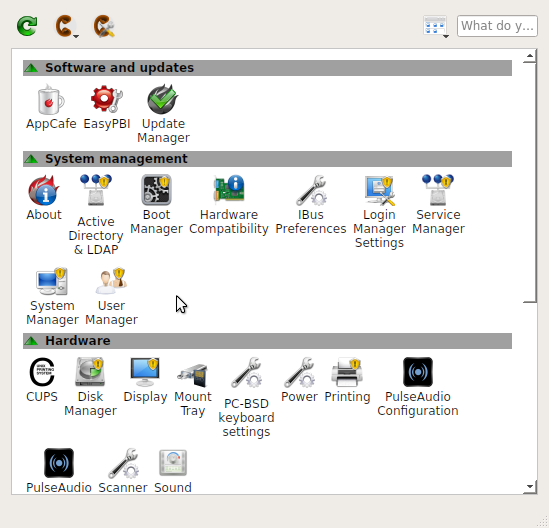
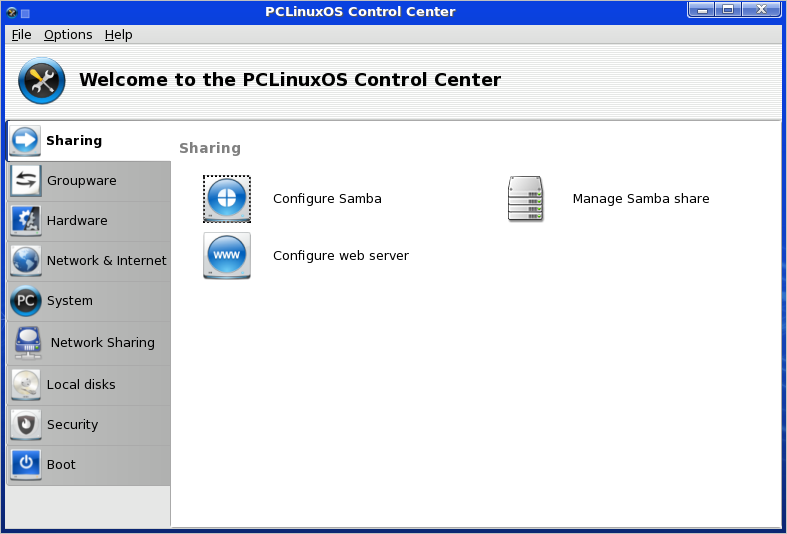
Administration: PCLinusOS uses the traditional root or superuser account for access to performing system-level admin tasks. and it packs the same set of graphical admin tools as Mandriva, the distro it was derived from. There is a graphical tool to perform virtually any task on the system without having to use the command line. These tools are available from the Control Center.
Control Center
Browsers and Browser plugins PCLinuxOS comes with a pair of browser – Mozilla Firefox and Konqueror. Once you try both, you will most likely settle for Mozilla Firefox. It will happily render flash, Java applets (JRE is installed), and a few other multimedia content, but not quicktime. It does make a feeble attempt at playing Real Movies using the mplayer-plugin. In any case, it works a lot better than the Ice Weasel installed on Zenwalk 6.
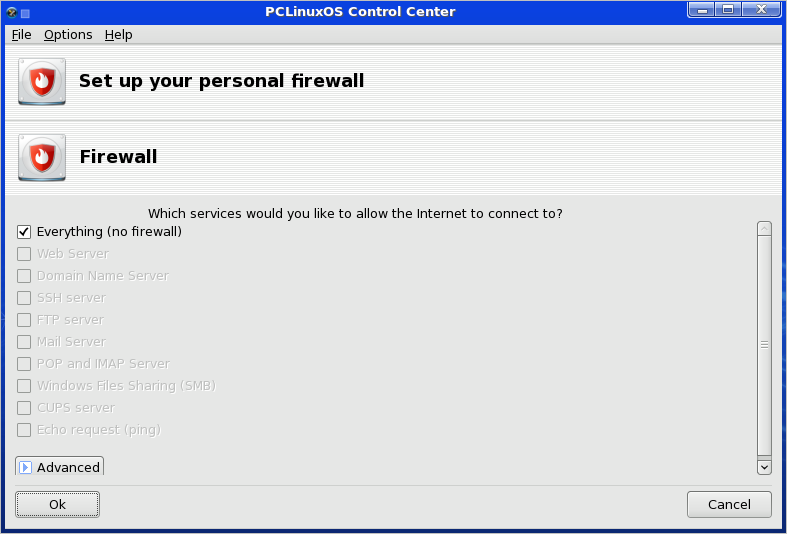
Security tools and Network Manager: Like Mandriva, PCLinuxOS has a fully integrated graphical firewall client, but it is disabled by default. Why? I have no clue. But don’t fret. Enabling the firewall is just a point-and-click operation.
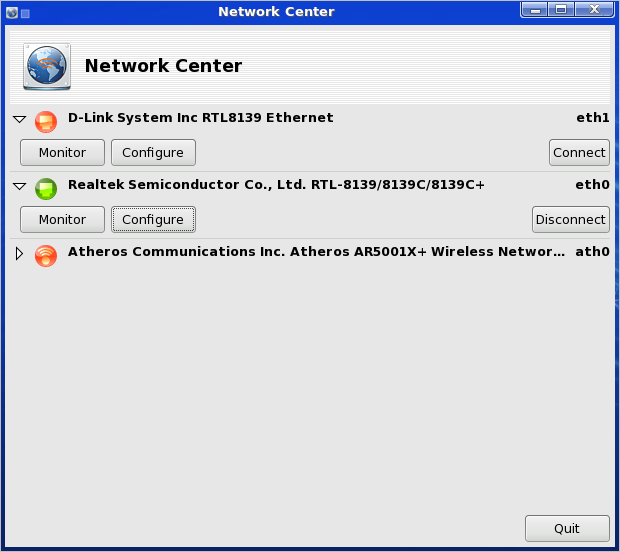
The Network Manager applet integrates firewall and VPN configuration features. You could, for example, configure VPN connections by right-clicking on the (Network Manager) applet, and select VPN Connection > Manage VPN Connections. By default, only the Cisco VPN client is installed, but if you opt to configure a VPN connection using the OpenVPN client, the system automatically initiates the download and installation of the OpenVPN client, which is bundled with the OpenVPN server.
SSH, the Secure SHell, server is installed, but inactive by default. You may choose to start the SSH server in standalone mode or via xinetd.
Media and Hardware Detection:
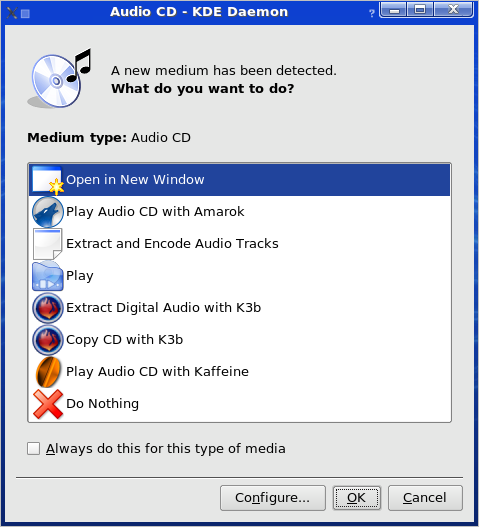
Media and hardware detection works just fine on PCLinuxOS. Insert an audio CD, for example, and you get a dialog box giving you a choice of applications to play the CD. You may choose to use Amarok, considered to be one of the best free and open source music playing applications, or Kaffeine, the versatile multimedia application.
Audio detection
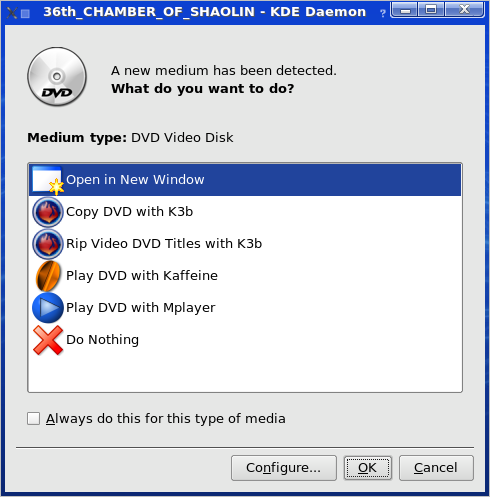
With a DVD video, a dialog box allows you to choose between MPlayer and Kaffeine. Both will play encrypted videos, but MPlayer seems to be more reliable. If neither MPlayer nor Kaffeine appeals to you, you may install VLC, which is available in the default repo.
What we like about PCLinuxOS Using PCLinuxOS is like using Mandriva Linux Powerpack without paying for it. The main thing missing is that LVM configuration is not supported. Also disk encryption is limited.
What needs to improve Not a whole lot, but there are key features I think should be supported especially when those features are supported on Mandriva, its parent distro. Here’s a short list:
- A regular release schedule. PCLinuxOS 2009.1 is the first release since 2007. That wont cut it in the free software operating system arena.
- LVM configuration. Contrary to the opinions of a few mis-informed people, Linux Logical Volume Manager is important, even on the desktop.
- The firewall must be enabled by default. There is no good reason to disable the firewall on a networked computer.
- During the installation and just before the packages are installed, give users one last opportunity to tweak their settings. That the way it is on Mandriva.



PCLOS is failure when it come to supporting mobile broadband. I had a huawei ec325 modem which cannot be configured in PCLOS. I posted it in PCLOS official forums. I was not able to solve the problem. I regret my decison to switch to PCLOS. That decision was not a wise one. as my USBmodem worked flawlessly in ubuntu, linux mint and fedora.
if there is a hardware failure with the distro it can be kicked out. now i use ubuntu. i am not blaming any distro by this. i just want my devices to work in a distro.no matter which name it is. for the time being it works well in ubuntu. So naturally Ubuntu is my choice. i hopped back to ubuntu
After seeing this same posting on every blng entry I found about PCLinuxOS, I have to say it sounds like an Ubuntu fanboy who just wants to give PCLinuxOS a bad name.
Sorry you weren’t smart enough to test out your modem in the live CD before installing. “dalfish”, but hey. PCLinuxOS can’t help you with *that* little problem.
of course pclinuxos is stable why? because its always 2 steps behind, in this day and age where we have kde 4 they still choose to release their distro with kde 3.5, i think however that they have a kde4 release on the horizon