

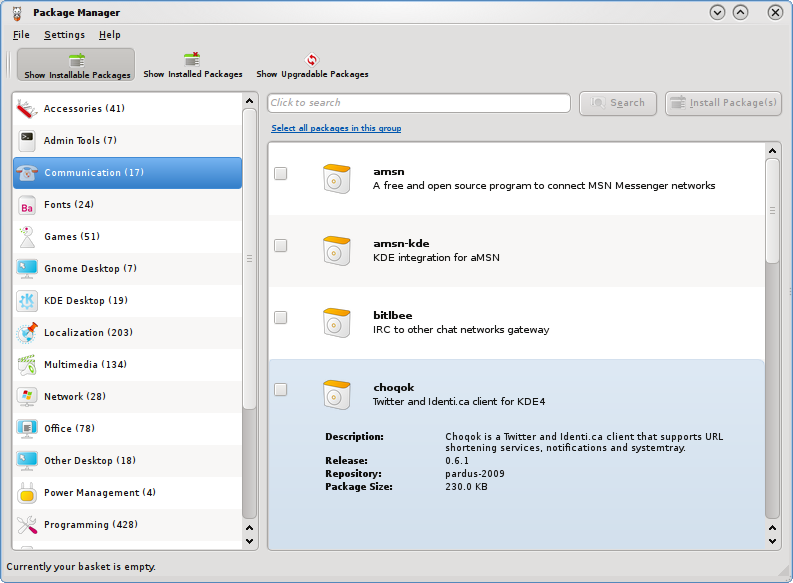
Software Management: Pisi is Pardus’s package manager, with a graphical frontend that is just as easy to use as any other. I think it’s even better than Synaptic, the graphical application manager you will find on most other distros. Out of the box, only one repo is configured in the system, but if you run Kaptan (you really should run it before using Pardus) you can enable access to a contrib repo.
Even with access to the contrib repo configured, the software selection available on Pardus is sparse. Sparse, that is, compared to the range of applications available on the repos of distros like Sabayon, Mandriva, Fedora, and Ubuntu. One good aspect of the applications on Pardus’s repos is that they are up to date. On the repos of those other aforementioned distros, a significant percentage of the applications are obsolete.
Package Manager (Pisi frontend)
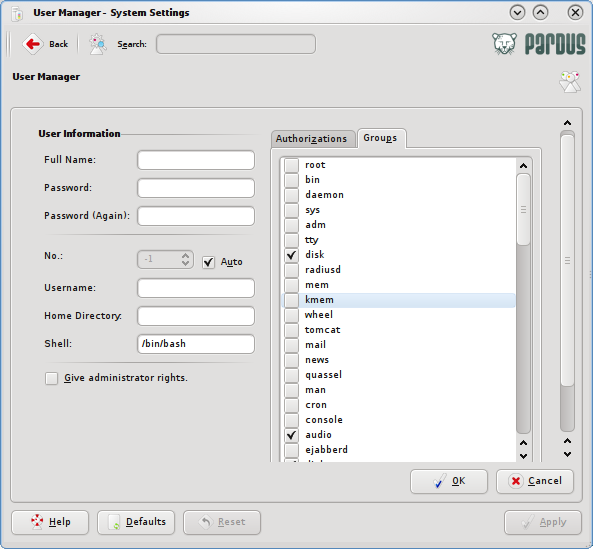
Administration: Pardus sticks with the traditional root user system (a superuser account, the root account, and regular user accounts for other users.) There are, of course, graphical applications for configuring every aspect of a running Pardus installation.
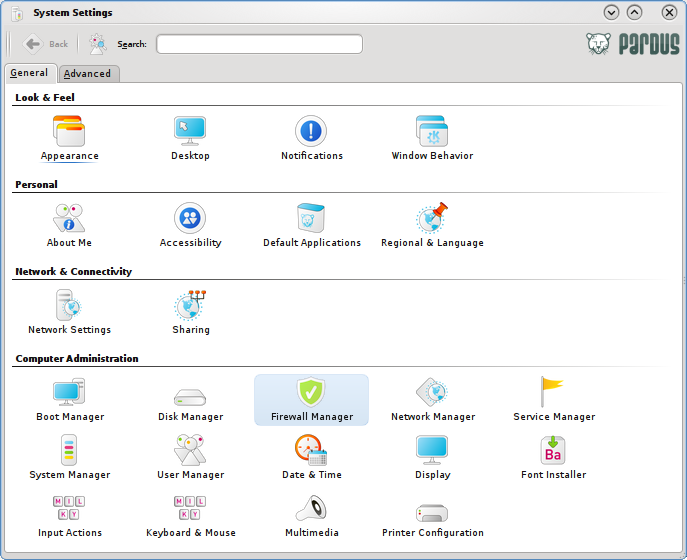
Most of the system managements applications are located in the Control Center.
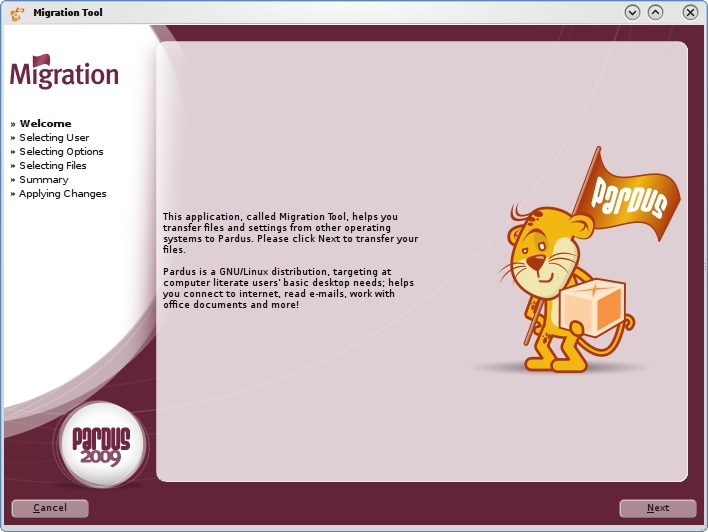
If you are going to be dual-booting Pardus with other operating systems, one tool that you will find very useful is the Migration Tool. Like one found on Mandriva, this tool allows you to move/copy (or migrate) your documents from other operating systems to Pardus. But curiously, you won’t find the Migration Tool where you might expect. You won’t find it under System, Utilities or Settings menu categories. Look for it under Lost & Found.
Browsers and Browser plugins Pardus 2009 ships with two browsers – Mozilla Firefox (version 3.5.1), and Konqueror, the native system and Web browser for KDE. Out-of-the-box, Mozilla Firefox has the plugins necessary to render most multimedia files you will encounter on the Web. Aside from those times when you’ll need to use Konqueror, most users will likely be surfing the Web with Firefox.
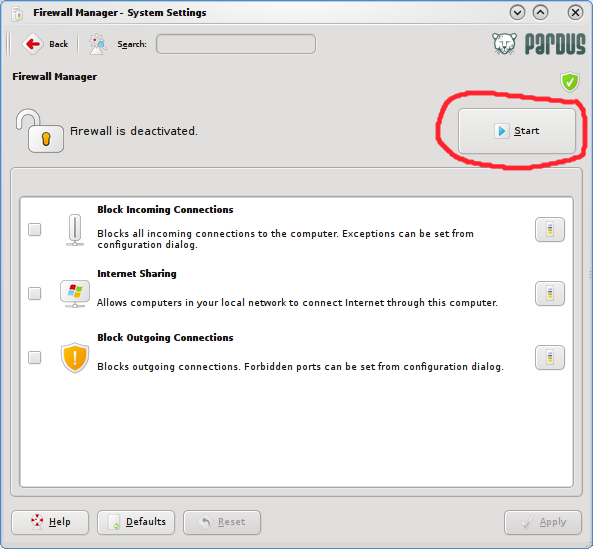
Security tools and Network Manager: Aside from the usual set of security tools and applications you will find on Linux and BSD distributions, Some of the better distros have a graphical firewall client configured and enabled out-of-the-box. Others have a graphical firewall client, but disabled by default. Pardus 2009 falls into the latter category.
Pardus firewall client (default state)
There is no VPN software installed. They are, however, available in the repo. You could install OpenVPN (client/server), and vpnc, the Cisco EasyVPN-compatible client. On most other distros, the VPN clients (openvpn and vpnc) are integrated into the Network Manager applet, for easy setup of VPN connections. The Network Manager applet on Pardus lacks such integration. If you choose to install any of the VPN clients, you won’t even find them in the menu. You only option is to launch a shell terminal and setup your (VPN) connections from there.
As with virtually all Linux and BSD distros, Pardus 2009 ships with SSH client. The SSH server is also installed, but turned off by default.



I agree with Mark T. But it can be a good idea to wait to 15 january. Then the real Pardus 2009.1 will be released:
25 Dec – Beta
8 Jan – RC
15 Jan – Release
If I want a easy install and user friendly linux dist it are Ubuntu, Linux Mint or Pardus for me.
The knock on Pardus is that there is no 64-bit version yet.
Update:
I just had an email exchange with Onur Küçük, who I believe is the lead dev of Pardus, and here is what he had to say about the status of the 64-bit version of Pardus:
And here is what he had to say about the current version of Pardus:
I just started using Pardus with the 2009.1 beta released in late December. So far it has worked nearly flawlessly. Install was easy. Nearly everything works out of the box.
The upgrade to 2009.1 RC1 was flawless and didn’t even require a reboot.
The repos are gradually filling up (152 games now) Networking runs fine for me except my hidden router which it can’t login to. I need to reenter my password, and try again. My public router (for everyone else in the house) connects fine.
I still like Ubu though as it is the easiest and most reliable install for my broad array of computers. Mandria has improved. Fedora NEVER seems to install right for me, nor does Debian.
Pardus is the closest in ease of install to Ubuntu I hae found so far.