The tasks covered in this tutorial are:
- Enable Network Time Protocol
- Enable the firewall
- Install a printer
- Add a user account (this page)
- Install Java JRE plugin (this page)
4. Add a user account: Hope you did not close the ACC window because that’s where the process of adding a new user account begins. If you logged into the system with a regular user account, why would you want to create another one? Say you have a guest at home, and you want to create a temporary account for him/her to use, or you want to create another account for the spouse or some other person living with you. Those two scenarios make a very strong case for creating a new user account.
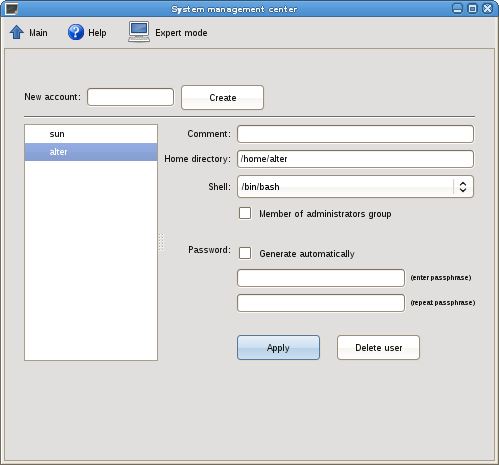
So on the ACC window, click on ‘Local user accounts.’
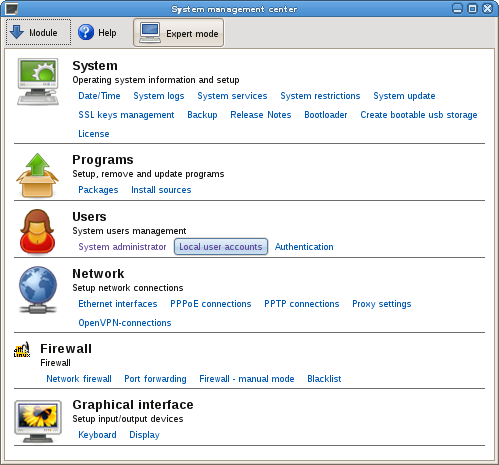
On the user accounts window, you will see the active account(s) on the system.
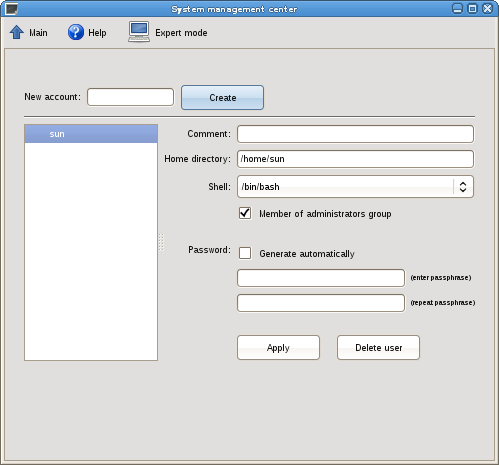
To create a new account, type in the name of the account in the box to the right of ‘New account,’ and click on the ‘Create’ button.
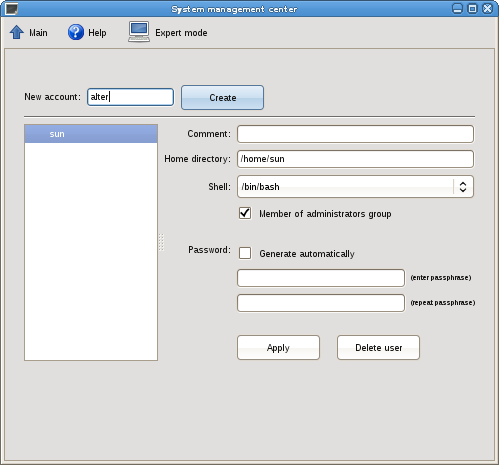
Now that the account has been created, the next step is to give it a password. With the account selected, type in a password in both password fields, or click on the check box next to ‘Generate automatically,’ to have the system generate a password for you. If this is a guest account or an account for someone you do not want to give administrative privileges, uncheck the check box next to ‘Member of administrative group.’ Click ‘Apply.’
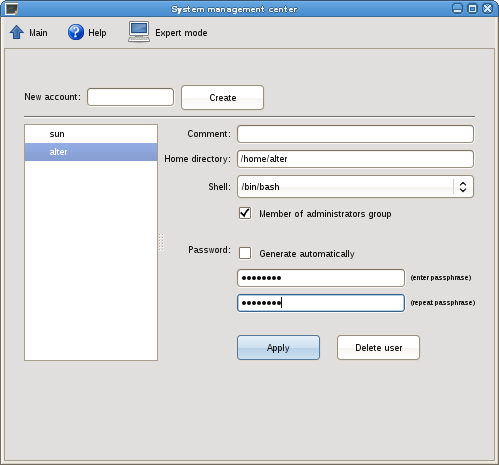
Now that the account has been created, you may switch user to test the new account. If at a later date you want to delete the account, just return to this utility, select the account and click ‘Delete user.’
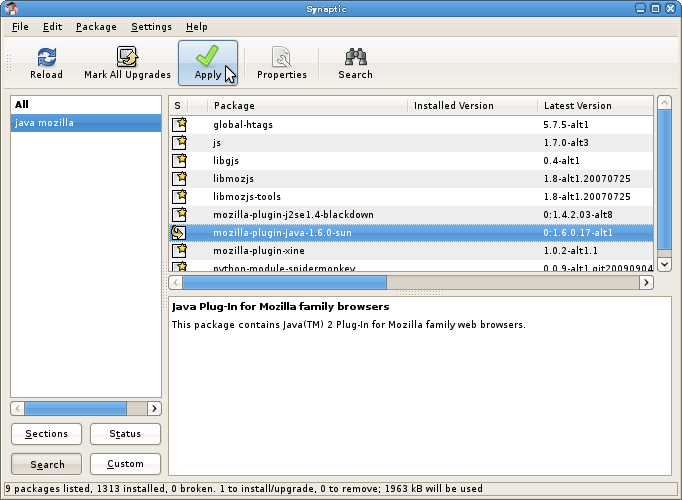
5. Install Java JRE plugin: You could install the Java JRE plugin for Mozilla Firefox from the command line by typing apt-get install mozilla-plugin-java-1.6.0-sun in a shell terminal or just use synaptic to install as shown in the screenshot below.
Completing these five tasks should make you ALT Linux system a bit more fun to use. If you need additional assistance in English, just ask.