 Simply Linux is an Xfce-based distro from the same Russian team that publishes ALT Linux. After the customizing simply linux 5 post, the next obvious tip for our new-to-Linux friends is how to sex up their Simply Linux 5 desktop with Cairo-Dock.
With Cairo-Dock, you can give your desktop a dynamic panel similar to Apple Dock. And you can do it in just a few steps.
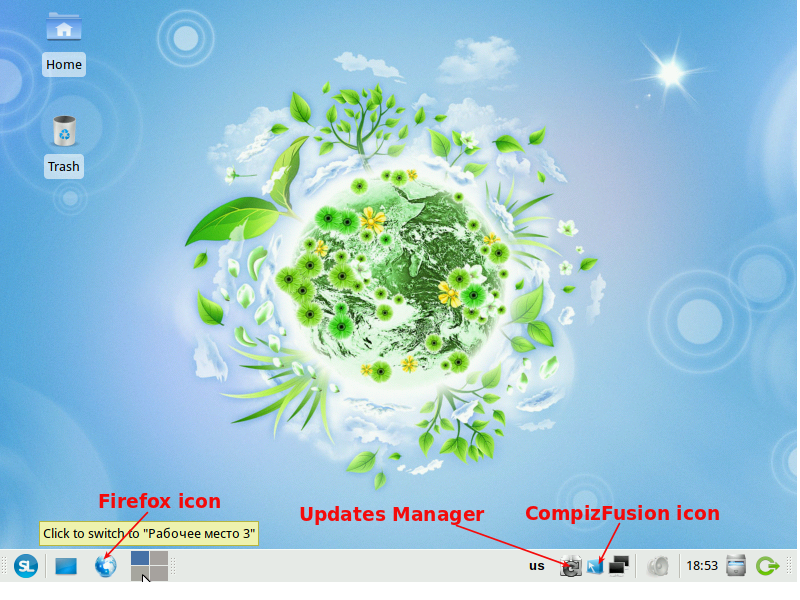
If your PC is not running Simply Linux 5, the first step for me is to show you what the default Simply Linux 5 desktop looks like (see image below). The desktop is nice and clean, but with Cairo-Dock, it will look even better.
Default Simply Linux desktop

Once Cairo-Dock is installed, I always like to position it at the bottom of the desktop, in the same position where the current panel it. Obviously, that means moving the panel to another location on the desktop. You can move it to the top, to the left or to the right side of the desktop. For this post, let’s move it to the top. To do that, right-click on an unoccupied spot on the panel and select ‘Customize Panel… .’ On the ‘Customize Panel settings’ window, click within the area circled in red. That will automatically move the panel to the top.
Customize Panel settings

The next step is install Cairo-dock. Luckily, the Cairo-Dock package is in the main repo (assuming you have changed the default repo setting). You may choose to install it using Synaptic, the package manager, or from a shell terminal. For this tutorial, let’s install it from a shell terminal. You just need to install two packages – ‘cairo-dock-plugins’ and ‘cairo-dock-xfce-integration.’ The package manager will take care of the dependencies. So type in the command shown in the screenshot below.
Install Cairo-Dock packages from a shell terminal

Now that Cairo-Dock is installed, you will find two entries for it in the menu under Menu > System > Cairo-Dock (no OpenGL) and Menu > System > GLX-Dock (Cairo-Dock with OpenGL). Cairo-Dock (no OpenGL) is the plain vanilla version. If you have the hardware for it and you want more effects and 3D fun, then launch GLX-Dock (Cairo-Dock with OpenGL).
That’s all it takes to have a dynamic panel on Simply Linux 5. Have fun customizing your new dock, and enjoy two screenshots from my test installation.
Desktop with Cairo-Dock

Another shot of desktop with Cairo-Dock