
The main objective of this blog is to help narrow down the list of Linux- and BSD-based distributions that a new user will feel comfortable using. Distributions that provide the same or better level of user-friendliness than the malware-infested and DRM-riddled operating system that they currently use. With more than 600 distributions listed at Distrowatch (only about 300 of which are active), finding the perfect distribution, or finding the one that fits your particular usage requirements can be daunting.
But what are the features that define a perfect desktop distribution? When I review any desktop distribution, here are the list of features I’m looking for:
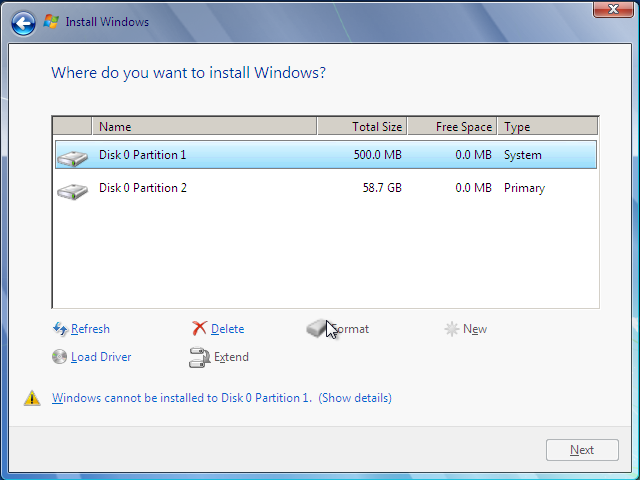
- A graphical installer with the following characteristics:
- simple, intuitive interface – I do not want to read a manual in order to install any operating system
- default options that makes sense for most users
- alternative installation options for advanced users
- a password-protectable bootloader – why rush to GRUB 2 if it’s not ready for production. By the way, a password-protectable bootloader is one of five features that may be used to improve the physical security posture of your computer.
- disk encryption option that even the inexperienced can enable – Fedora’s implementation is the best example I can find
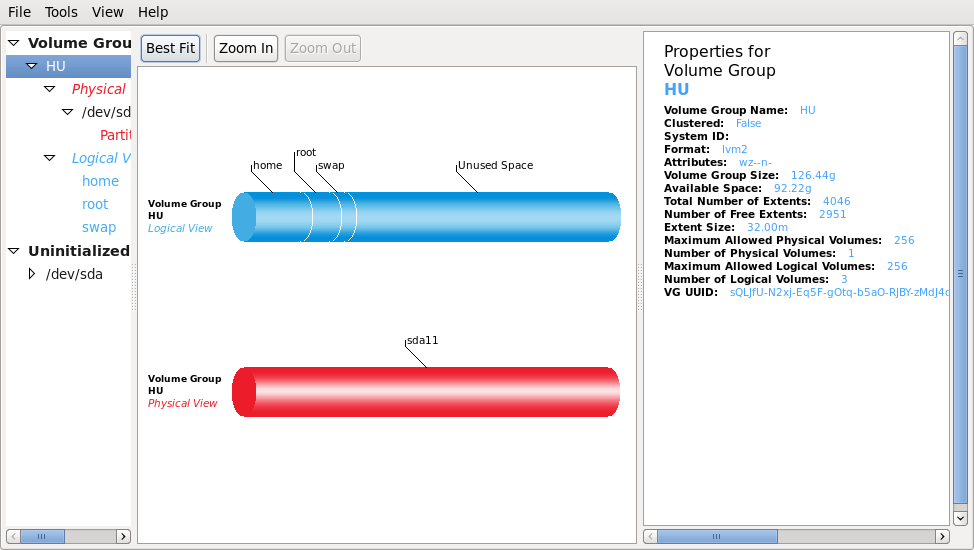
- support for LVM and RAID configuration. Not all users need these two features, but for those that do, make it available for them
- simple and easy to comprehend help features
- Firewall enabled straight out of the box, and a graphical firewall manager installed for ease of management. A complete integration of the firewall gui and the network manager applet is a big plus.
- Network interface(s) configured out of the box – Most distros take care of this, but the one exception I’ve found is Pardus 2009.1.
- All distros now have an graphical package manager. That’s good. An update manager that’s pre-configured to pull in the latest updates on first boot would be nice. Maintaining a sane network security profile demands this.
- The best applications installed by default. OpenOffice.org, Firefox, VLC media player, Mousepad text editor, Exaile music player, just to name a few.
- A Web browser that just works.
- Simple and intuitive-to-use graphical management applications. No distribution does this better than Mandriva Linux.
No distribution has all the features in this list. The only one that comes close is Mandriva Linux. The task for the next few weeks is to identify a list of desktop distributions that come close to being “perfect.” Will your distro make the list? Keep in mind that because of their philosophical stand on freedom in software, some distributions will never make the list.



Unfort. is gOS dead!
i would recommend for starters:
Ubuntu 11.xx (Unity may for some ppl be annoying, tho its easy as an Iphone)
LinuxMint 12.x very nice usability i tested Gnome edition and must say its easy to handle.
Mandriva nice too, didn’t have as much time to test is as the other 2 but its very intuitive and nice looking, tho i think i would rather start with the upper 2
Debian 6.x i am really new to Linux and i tried many Distributions and i liked Debian from the start. Some will say its not user friendly, i must admit its not as user friendly as Ubuntu or LinuxMint but if you know what you need and if you know where to search, its as easy as the other 2 and somehow i liked Debian most, very stable, everything worked (skype, Webcam, drivers, just anything) Ubuntu was a bit tricky for me so i needed a script to get my camera started on Skype, i got the script from youtube.
I would recommend those 4 to everyone, its just my 5 cents.
Slackware is perfect and don’t have a graphical installer. To be honest, I don’t think that yours pre-requisits are valid to chose a “perfect distro”.
Not having a graphical installer is itself a barrier for many. See my point?
Yes, I see your point. And I agree that for a new user, the text-mode installer can be scary/harder.
You’re funny. I calls ’em as I see ’em. My humor-bone works fine but your hubris is swollen. 😉
I have had opportunity of using GNU/Linux professionally, including in teaching and providing small business services for more than fifteen years.
During that time, many distributions have come and gone, but fortunately the better quality, more stable distos have endured, all of which I have thoroughly evaluated and tested.
One recommendation not often mentioned that is suitable for the person writing seeking Distro for Linux beginner is G/OS – http://www.thinkgos.com – which ran reliably and succesfully on many Netbooks early on, before Microsoft subverted the Linux Netbook market.
It is Ubuntu LTS based, with Google apps to simplify task like Mail, News, docs, etc. and has been a absolute success on fourty plus PCs on which I have installed it, from 80+ years of age PC first timers to small businesses and schools.
W. Anderson