 ClearOS is a Linux distribution derived from RedHat and CentOS. Formerly known as Clark Connect, it is developed and maintained by the Clear Foundation, an IT solutions provider based in Wellington, New Zealand. It is modular in design, with the base OS and all modules free to download and use. However, updates to the most mission-critical modules are fee based.
Origin – Home page: New Zealand – ClearOS
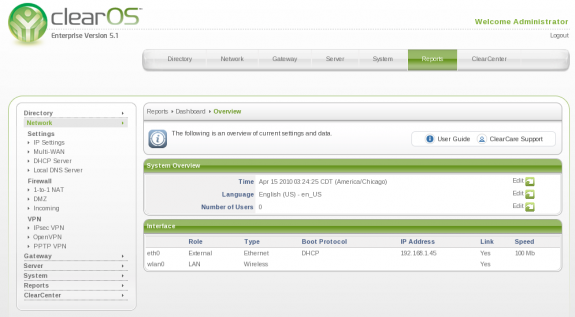
Administration: ClearOS is designed to be installed to hard disk,. Administration is via a graphical console, remotely via a browser interface (https) and SSH.
License: ClearOS is free to download and use with some restrictions: Access to updates for most of the modules is available via a subscription-based system. Remote backup and restore, and Dynamic DNS services are included in the free, Basic subscription level. Updates to all other other modules and other services are available for a fee to Standard and Premium subscribers.
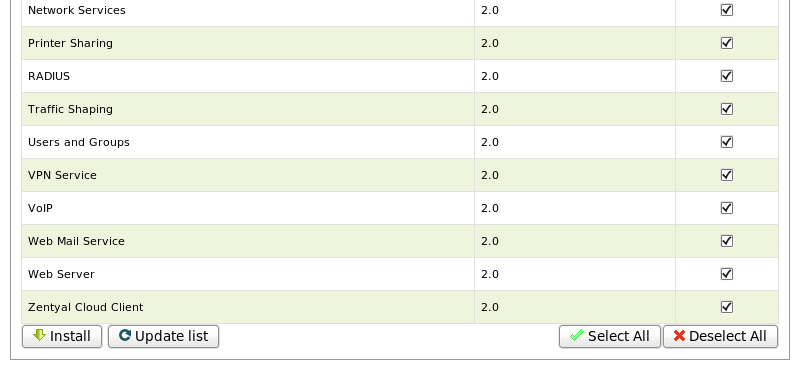
Features: ClearOS offers a wide range of features. These features are delivered in modules. The following are the modules available during installation (though not explicitly listed below, ClearOS provides support for LAN and WAN interface redundancy):
- DHCP and local DNS servers
- DMZ and 1-1 NAT firewall
- IPSec, OpenVPN and PPTP VPN server modules
- Antimalware and antispam
- Bandwidth manager module (QoS)
- Intrusion protection
- Protocol filter, Web proxy and content filter
- Mail server, mail scanning and Webmail modules
- Windows networking
- File server (with Flexishares), Print and Web server (Apache) modules
- Database (MySQL) server
Reviews: A review of the latest stable release of ClearOS is available here.
Download: Multi-platform CD iso image of the latest edition of ClearOS Enterprise is available for download here.
Support: ClearCARE, is a fee-based support program for business users. Support for Basic (free) subscription users is mostly via the forum. Access to a live demo is available.