 Fedora 13 Beta has just been released for testing and bug reporting, with the stable version slated for release in May. Thanks to boot.fedoraproject.org, I didn’t have to download the full CD iso image. Used the same bfo iso image from last month and took the Fedora 13 beta out for spin. But rather than dish out a full review of this beta release (I only review stable releases), I’m using this article to showcase a new storage feature of Anaconda. A storage capability that is not available on any other non-enterprise Linux distribution.
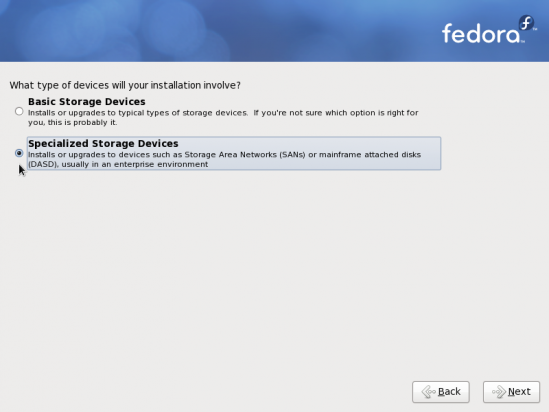
To start with, Anaconda now offers two device installation options. The first and the default is Basic Storage Devices. Sticking with this option will take you to the next page which presents the same disk partitioning options as prior Fedora versions. The second option, Specialized Storage Devices, gives you installation choices typically found in enterprise environments.
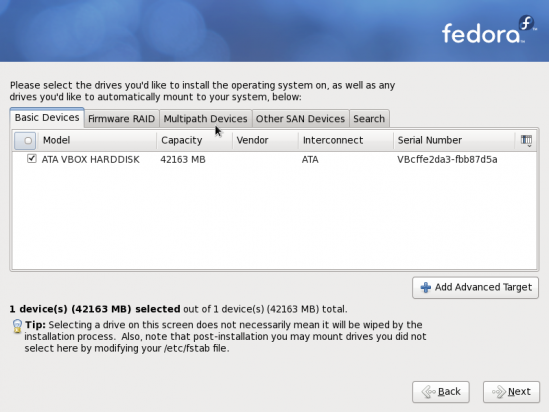
This is the screen you get when you select the Specialized Storage Devices. You may install to local disk(s), Firmware RAID, Multipath Devices, and other Storage Area Network (SAN) devices. Clicking on the “Add Advanced Target” button gives you more options.
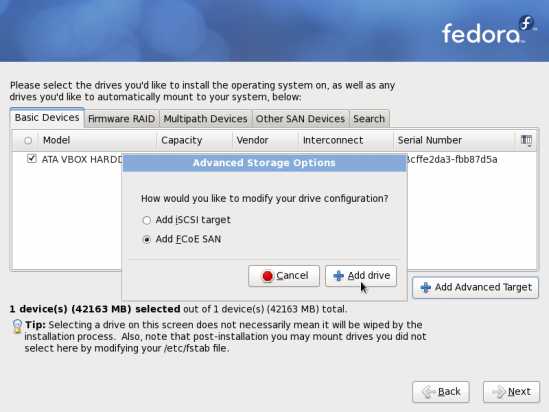
The options presented when you click on the “Add Advanced Target” button are Add iSCSI target and Add FCoE SAN. FCoE, or Fiber Channel over Ethernet, “is a mapping of Fibre Channel over selected full duplex IEEE 802.3 networks” in order “to provide I/O consolidation over Ethernet.” An Open Source implementation of FCoE has been part of the Linux kernel since the 2.6.29 release. See the video at the end of this article for an EMC-produced (video) introduction to FCoE.
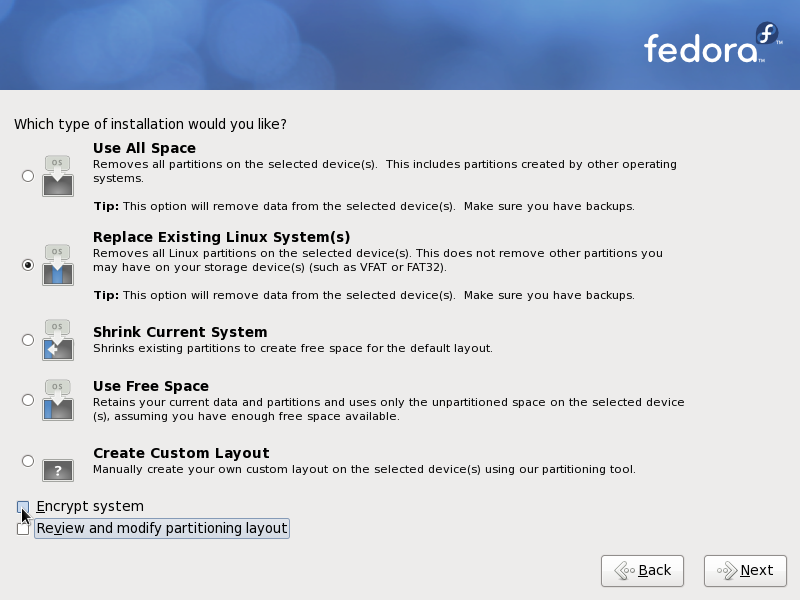
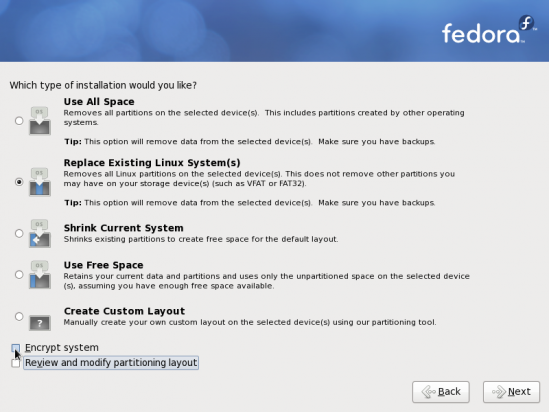
This image just gives a more user-friendly description of options available on other distributions and older versions of Fedora as a drop down menu.
Aside from the disk storage options shown in this article, Fedora 13 will offer desktop options that will make it more newuser-friendly, and also provide better out-of-the-box functionalities that were missing in older versions. A detailed review will be posted here when Fedora 13 becomes available. You may subscribe via RSS to have the article in your Feed Reader automatically. You may also subscribe by email.