
 In reviewing a Linux or BSD distribution, I try as much as possible to list all of the distribution’s features. For me, that means enabling, configuring and using said feature. But that was not the case with my review of ClearOS Enterprise 5.1, a server and gateway distribution developed and maintained by the Clear Foundation.
In that review, I wrote that “Support is available for LVM and software RAID configuration.” However, that statement was based on visual observation of the installer, and not on actual usage. The truth is ClearOS lacks support for LVM. You can’t configure LVM on ClearOS Enterprise.
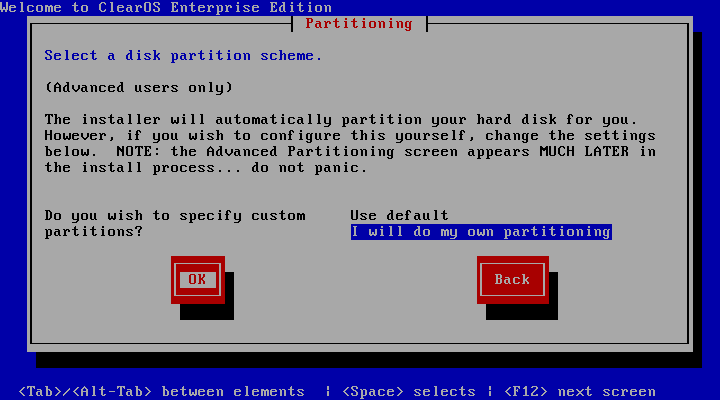
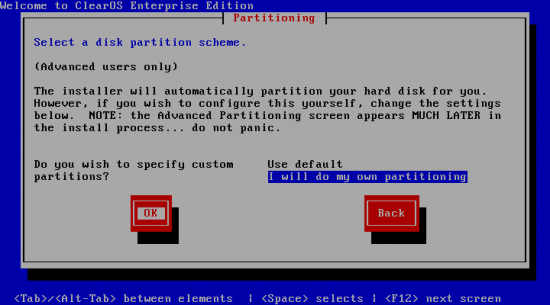
The following three images provides supporting evidence. In order to attempt LVM configuration during the installation process, you have to select the “I will do my own partitioning” option on the Select a disk partitioning scheme page. On virtually all the distributions that have been reviewed on this site, clicking the “OK” or “Next” button should take you to the next disk partitioning page. On ClearOS, however, you will have to go through several more pages before the installer presents the next disk partitioning page.
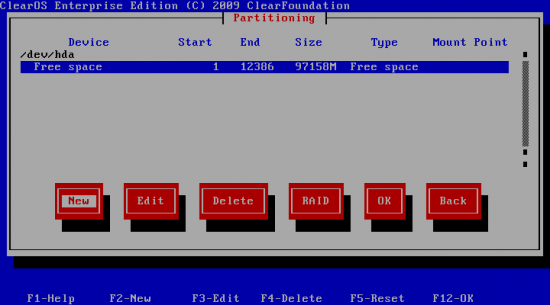
So here is the next disk partitioning page. On distributions with support for LVM, you will see an “LVM” button. That obviously is missing in the image below. Clearly an indication that you are not going to be able to configure LVM on ClearOS.
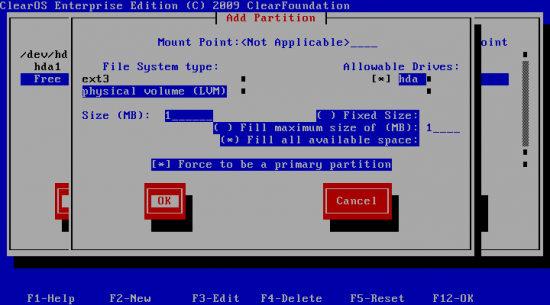
The interesting thing I noticed on ClearOS’ installer is that it will allow you to create a Physical Volume, which is the same thing as saying that it will allow you to initialize a disk or disk partition for use by LVM. But that is as far as it goes. So if you are looking for a server distribution with support for LVM, try another distro.



ClearOS presents LVM to its users as a black box. Upon installation you will automatically get 2 logical volumes, i.e. the root directory and the swap directory will be made part of one LVM. You are right that this choice cannot be modified during the installation process.
But once ClearOS is installed you have a fully operational LVM available. Although ClearFoundation seemingly don’t provide support for LVM you still have the full LVM capabilities at your disposal. That’s my experience as a user.