Overall I think Ubuntu 10.04 Desktop is a decent desktop distribution. It’s still not as good as Mandriva, but it’s better than Zenwalk. If you decide to install, you should read how to customize Ubuntu 10.04 Desktop.
Ubuntu 10.04 review

Overall I think Ubuntu 10.04 Desktop is a decent desktop distribution. It’s still not as good as Mandriva, but it’s better than Zenwalk. If you decide to install, you should read how to customize Ubuntu 10.04 Desktop.




Previous Ubuntu distros impressed me, felt at home. Downloaded 10.04 can’t wait “to play in the park”. I am an AMD and Ubuntu staunch believer. Baie dankie Ubuntu.
I was stuck with ubuntu 7.04 for quite some time for the fear of compatibility issues in the future versions. But i’ll have to say this version of ubuntu has every fix for my probs in it. I have an acer aspire 4720z and the Atheros wireless cards were my issue from the first. Let’s just say that I didn’t had to look beyond the network manager to connect to my hidden WPA2 wireless network with static ip. The network manager is gud enough for me and thats all I need in this version.
BTW I have also planned on checking the new Fedora release as it has been ages since I had one. Linux sure has got most things sorted out. Its just the office 07 compatibility that I would love to have in openoffice.org. The Media player handles most of the formats after the installation of the basic plugins and the VLC media player is always there to offer more support. IPod – RhythmBox integration is gud. Certain bugs in my Itunes(like the updated song author name and stuff) is getting fixed in Rhythmbox. Blueman for bluetooth is also good. GIMP is excellent for the features it can provide on a open source platform and that too compared to the more expensive photoshop for windows.
Finally Skype, I really didn’t like using it till I came to linux. But now I just can’t seem to stop using it. It gives me better quality even when compared to Google voice chat using Pidgin or Empathy client.
Ubuntu Tweak helps me getting the other softwares. Docky for switching windows is also good. IpMsg2, screenlets, compiz add more taste to the OS. Opera, chrome, audacity, openshot video editor nearly complete the package. Since I didn’t like Wine that much. I still love to wait for the linux softwares to kick the ass of all windows softwares. The time for linux to take the stage is near. But it won;t be possible without gaining trust of the entreprise market which would only be possible through a dedicated support services offered by someone in the linux community. Once thats up, the software market can start enjoying some price cuts :p I believe.
Anyways, I wouldn’t be switching back to windows anytime sooner.
Wow….
I decided to trade a computer for chores. Would give them the latest greatest Ubuntu.
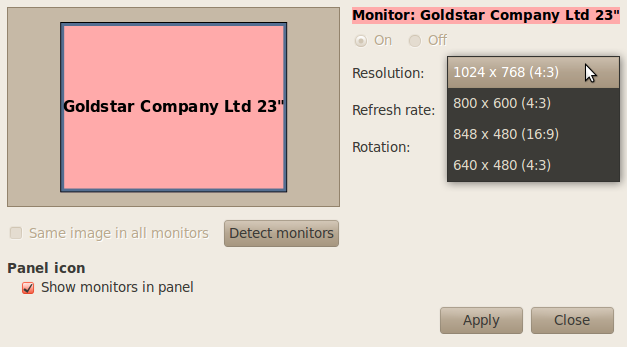
Was I surprised. First disappointment was when I found that I could bot go above 800 by 600. Why? because it would bot detect my monitor correctly. On top of that, xconfig-conf was done away with. After 90 minutes of searching on the web, I gave up on it. I changed to a slightly newer monitor (still older than 5 years) and got a whopping 863 x 600. This display was known for min 1200 x 1024.
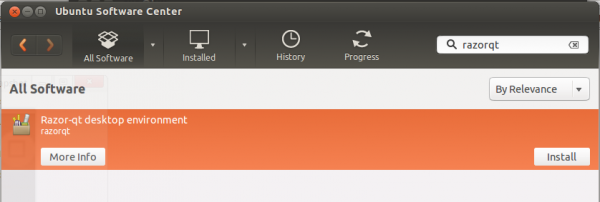
The person I am setting this up for, loves games. No problem. I go to their new package manager. Great idea, but not complete. One of the powerful features of Synaptecs manager is that you can choose many items, then install. With this new one, you do not have that option. You can choose other apps to install while the first is installing, but it was just irritating. I finally get the games installed,oops, most are not in the menu. I actually have to manually add them in. To be fair, Synaptecs did not add them either. Apparently their new menu is not backwards compatible. Major no no in my book.
Finally, today, a distro on the level of Ubuntu, should automatically mount usb drives without making the user guess.
I like ubuntu, mainly because it is very stable. But I am now searching for a different distro. PcLOS has a great system, I have found it less stable though. It does recognize most of the wifi cards without having to run ndis driver though. I think I might revisit that.
Give Mandriva Linux a try. The Spring 2010 edition should be out in a couple of days.
Ubuntu 10.04 works just fine for me. I have tryed the latest Mandriva One to. But if you like the KDE desktop the 2 best in my opinion are the new Pardus 2009.2 and PCLinuxOS 2010.1
Works “out of the box”
If you want the same in Mandriva you must pay for Powerpack version.
Pardus 2009.2 is a decent distro, but it has too many loose ends to be considered alongside Mandriva. Take a look at a review of 2009.2.
With Mandriva One or Free, you can install some of the codecs if you enable the optional repos.
Distros ranking or acceptance among Linux users means everything, that means the disto offered is stable, functional and easy to run and implement and well maintained. Its obvious you are a Mandriva fan and no amount of work by Ubuntu will convince you of otherwise. In your comparison, you write Ubuntu doesn’t have graphical firewall tool like Mandriva, whats GUFW btw? As for synaptic versus mandriva’s paclage manager, no comparison, synaptic is far more clearer and debian package management rules not to mention the plethora of offering via medibuntu and ppa.
If Mandriva was even half as polished as Ubuntu it wouldn’t be going bankrupt today and would come at least closer in distro watch ranking to Ubuntu. Having used both, Ubuntu wins by many aspects.
What makes you think that a distro’s ranking on Distrowatch has anything to do with its polish-ness? In case you missed it, I suggest you read this.
I installed Ubuntu 10.04 over version 9.04 on my Dell Latitude 2100 netbook and it is the best to date. Everything worked out of the box, no tweaking necessary. The main thing I want is the Software Centre to be fully functional and replace all other software install apps (although Synaptic will be a challenge to). I really like where Ubuntu is going. There are a few things which I don’t like, but nothing to whinge about, it is still evolving and maturing, trying to find its place.
I love the window buttons on the left. Yes, it is about time. I had actually changed mine to the left last year before I ever knew about 10.04 was going to do it. Complaint: ‘I been using Windows all my life and used to it being on the right.’ Not a reason only an excuse. It takes a short time to get used it. The reason I changed it is that is makes mouse movement more efficient. Also, if you want to be more efficient, if you are right handed try using the mouse with your left hand, because the right is free to jot down any notes while you are moving the mouse with your left. This taes a little while longer to get use to, but the rewards are there. Give it a go. Change to something better.
Yeah, the buttons on the left takes getting used to, but I think that’s the best location for them.