
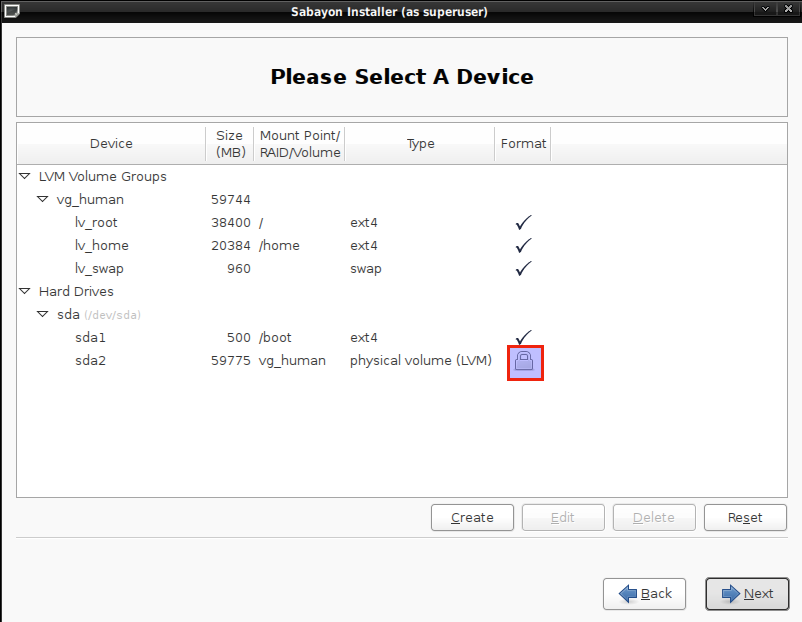
After installation, and on every reboot or restart, you will need the passphrase to unlock the encrypted disk or partition. In this case, the passphrase is needed to unlock /dev/sda2, which is the encrypted Physical Volume. Without inputing the correct passphrase, no one, you included, will be able to boot into the computer.
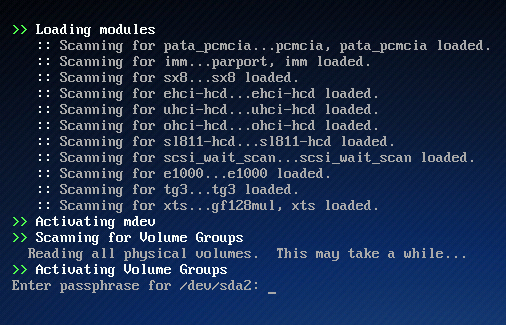
The disk encryption passphrase is being requested.
A complete guide on how to install Sabayon 5.3 with full disk encryption configured is available here.
Pages: 1 2



So basically if you want encryption, you HAVE TO use LVM as well?
NO, you do not have to. LVM is just the default. If you want to use encryption without LVM, you’ll have to manually partition the the hard drive(s). The real question is, why would anyone not want to use LVM?
“Basically, what the Sabayon team did is dump the old Sabayon installation program in favor of the Fedora 13 installer, the Anaconda.”
The “old Sabayon installation program” was also Anaconda: just an older version of it.