
 One of the most important features introduced in Sabayon 5.3, the latest release of the Gentoo-based Linux distribution, is Anaconda, the best installation program you will find on any Linux or BSD distribution. It’s not perfect, but no other installation program offers the same enterprise-grade features that comes with it. It is the same installation program you’ll find on Fedora 13.
Basically, what the Sabayon team did is dump the old Sabayon installation program in favor of the Fedora 13 installer, the Anaconda. A very good decision because Sabayon users can now configure disk encryption a lot simpler than they were used to.
Disk encryption is one of the methods that anyone may use to improve the physical security profile of their computer.
So how easy is it to configure full disk encryption on Sabayon 5.3? Very, very easy. Just follow the directions outlined below.
When installing Sabayon 5.3, you’ll be presented with the option to enable disk encryption at this step. Checking “Encrypt system” as shown below is all you need to do. Because Sabayon uses the Linux Logical Volume Manager (LVM) as the default disk partitioning scheme, enabling disk encryption is the same as configuring encrypted LVM. This is full disk encryption and it’s much simpler and better than the disk encryption options on previous releases of Sabayon. The installer still gives you the option to encrypt individual Logical Volumes, but that is unnecessary if “Encrypt system” is checked at this step.
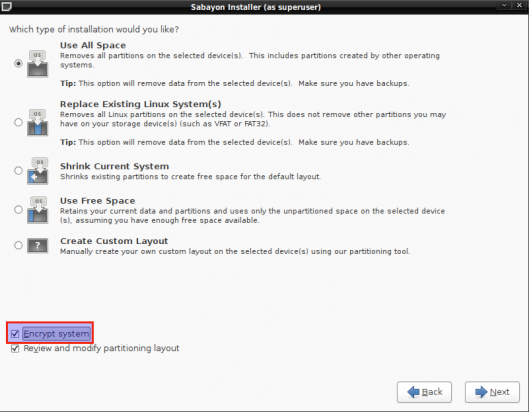
Encryption option
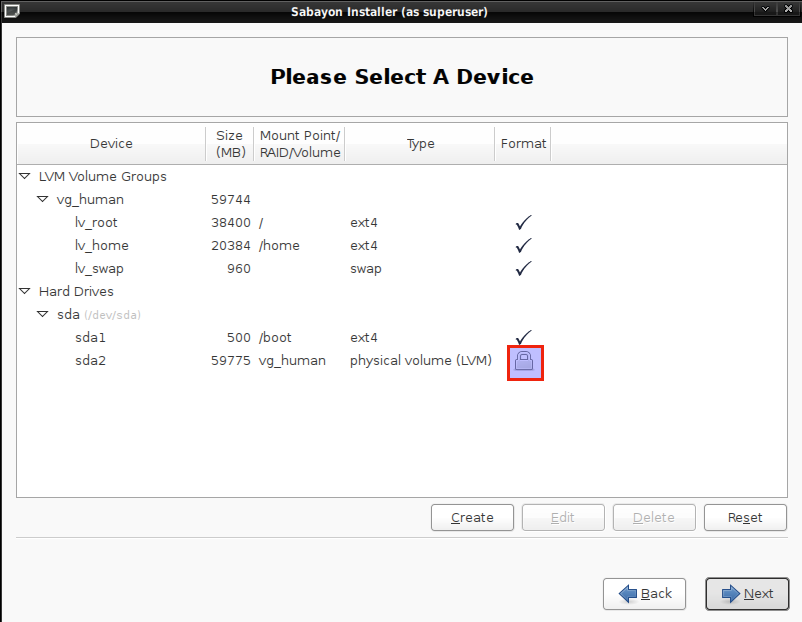
The image below shows that the Sabayon installer has taken the first step to encrypted /dev/sda2, the disk partition initialized for use by LVM. In LVM parlance, /dev/sda2 is a Physical Volume (PV). In this case, an encrypted PV.
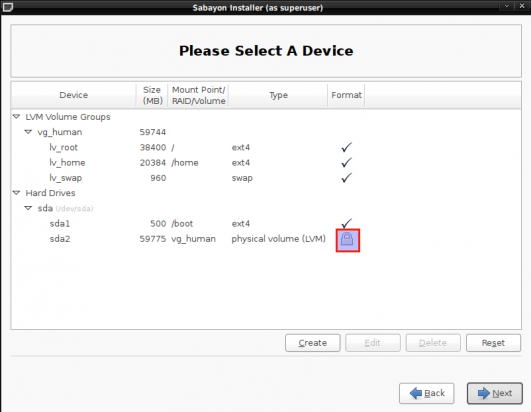
Encrypted Physical Volume
At this point in the installation process, you’ll be asked to specify a passphrase which will be used to lock or encrypt the PV. It is highly recommended that this passphrase be unique, that is, not be the same as the password of any user account on the system.
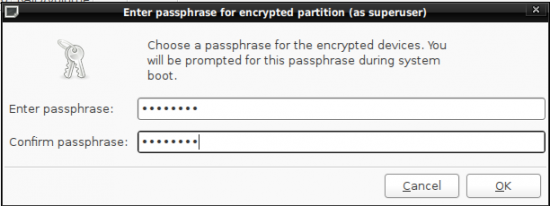
Specify the passphrase that will be used to encrypt the hard disk




So basically if you want encryption, you HAVE TO use LVM as well?
NO, you do not have to. LVM is just the default. If you want to use encryption without LVM, you’ll have to manually partition the the hard drive(s). The real question is, why would anyone not want to use LVM?
“Basically, what the Sabayon team did is dump the old Sabayon installation program in favor of the Fedora 13 installer, the Anaconda.”
The “old Sabayon installation program” was also Anaconda: just an older version of it.