
 PCLinuxOS is a APT-ified, Mandriva-based Linux distribution. It’s one of those distributions that offer a separate version for virtually every existing desktop environment. Four of them – Enlightenment, LXDE, Openbox and Xfce are recommended for intermediate to advanced users, while the GNOME and KDE versions are recommended for all user levels (beginner to advanced).
If you make a detailed study of all six versions of this distribution, you are going to question the user-level tagging. But that is the subject of another post. For now, let’s review the KDE version, which was last updated on July 5, 2010.
As with any distribution review, it’s best to start with the installation program.
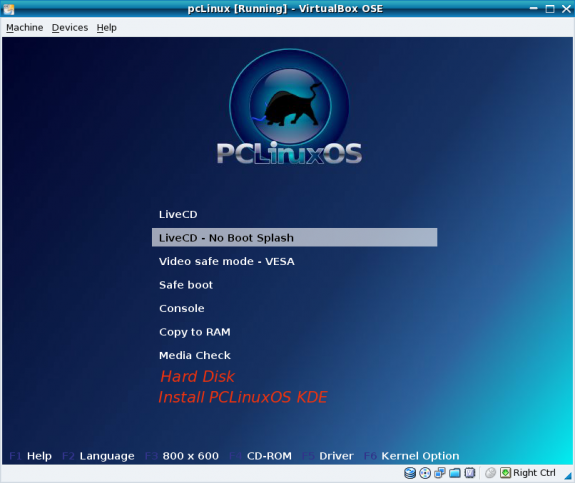
Installation – The KDE image used for this review is a live CD image. The available boot options are shown in the image below. You get a lot of boot options. While I do not argue with the purpose of a live environment, some people might want to install the distro without first booting into the live environment. It would be a good idea to give those group of users two more options (shown in red in the image).
Default boot options plus a couple of suggestions
In contrast, take a look at the boot options of Mandriva One 2010. It is also a live CD, but it offers an option for users who might not want to boot into the live environment, and another option for users who might change their minds about booting or installing from the CD. Most live CD/DVD distributions have these options. It would be a good idea to see them on the next release of PCLinuxOS.
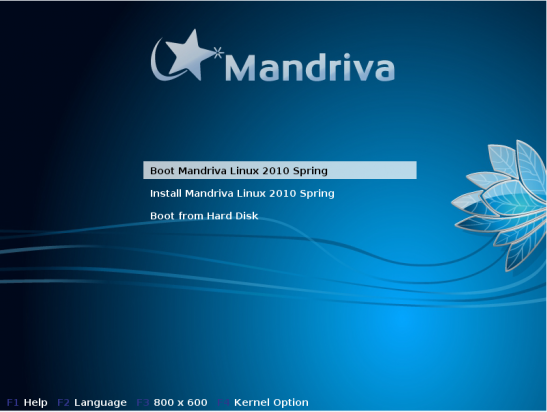
Simple boot options of Mandriva One 2010
Of the major Linux distributions with a live image, PCLinuxOS is, as far as I can recall, the only one that requires a password to install. It’s a requirement that does not make sense to me. It’s not as if the password is hidden or a secret. It’s right there in the middle of the top section of the desktop. I cannot think of a good reason, security or otherwise, why a password is needed to either log into or install a distro from the live environment.
The lack of a Back button at critical steps during the installer process is one very annoying thing, especially if you make a mistake in a previous step. Your only option then is to hit the Cancel button, which means restarting the installation process. All the installers that I have used, even the simplest ones like Ubuntu’s and Mint’s, have a Back button at every step.
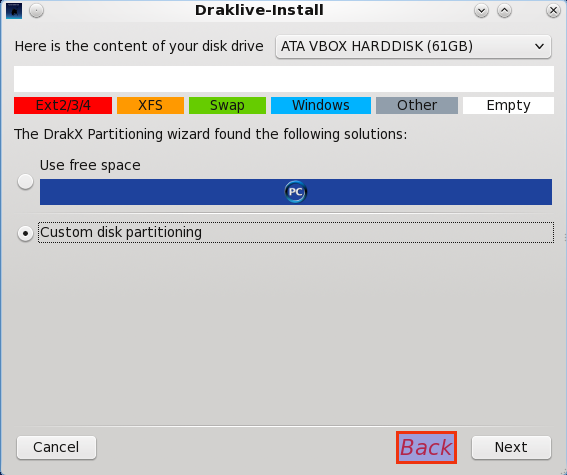
Adding a Back button would also be nice
Here’s another instance where an extra button would not hurt. This time, however, it’s not a Back button, but a Cancel button. Imagine for a moment that you are trying to create a partition as shown in the image below. Midway into the operation, you decide against creating the partition. With the installer, you cannot cancel the operation. You will have to complete it, that is, create the partition, then delete it in the main window. Sure, you could click on the window’s close button in the upper right side, but a Cancel button is more professional and expected.
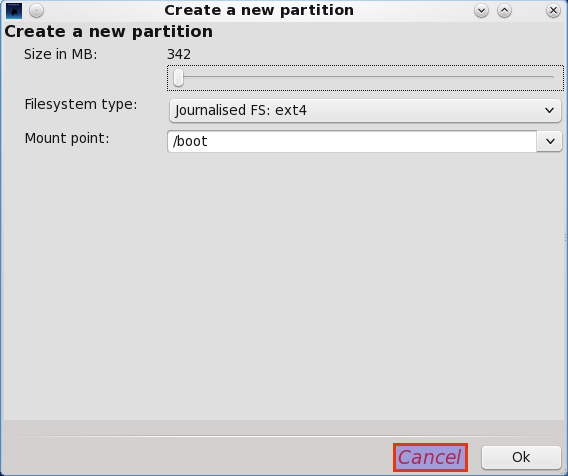
A Cancel button on the partition creation window would be nice, too.
Yet another annoying aspect of the installer is it’s questionable support for LVM. If you didn’t know any better, you’d think that LVM is officially supported, but you’d be wrong. Trying to configure LVM will eventually get you to the step where the message shown in the image below graces your screen. Clicking Ok to install it will keep you waiting from now ’til thy kingdom come. Some people have reportedly succeeded in configuring LVM on PCLinuxOS, but it’s a crap-shoot. Interestingly, the lvm2 package is in the repository, but why is it not packaged with the installer?
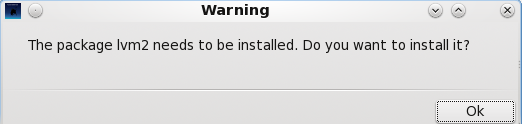
Without the LVM2 package, how can you configure LVM?
That’s the end of stuff I do not like about the installer. Actually, there are a few more, but I think these will do for now. What follows is a long list of stuff I also do not like after installation.



have used many distro..pclos sucks big time.
Pity the software in Pardus Distro is so out of date
Manjaro is the new standard
I agree. I prefeer Linux Mint or Pardus 2011. Very nice forums there.
I installed PCLOS yesterday. After coming in contact with this PCLinuxOS review page and seeing what kind of people populate the community….I want no part of it. It’s off to Linux Mint Debian for me where the natives are friendly and don’t think they know everything. Why would I ever want to ask for help from a community that that displays the attitude I see displayed here.