
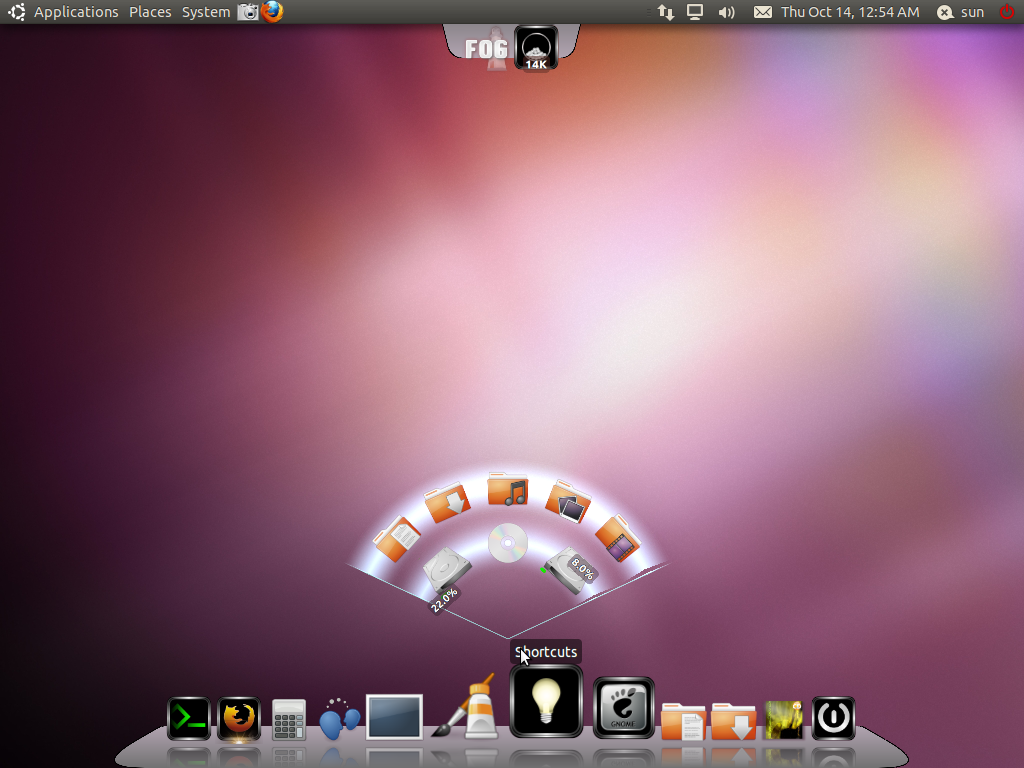
Docks and sub-docks may be placed at the bottom, top, left and right.

Cairo Dock using the Coz theme
Cairo Dock with the default theme, showing the components of the shortcut applet.

Cairo Dock using the default theme
The graphics applet and its components.

Graphics applications applet in Cairo Dock
You can change the view of the dock and the sub-docks from the theme manager. The screenshot below shows a sub-dock using the Rainbow view.

Weather applet in Rainbow view
Shortcut applet in Rainbow view

Shortcut applet
Pages: 1 2



i use cairo. better than awn and docky. just works better.
Oops. I meant to comment on Ubuntu 10.10 story below this one. Sorry about that.
The second item on the checklist may not be useless if the user is installing on a notebook/laptop computer.