Linux Mint 12 review
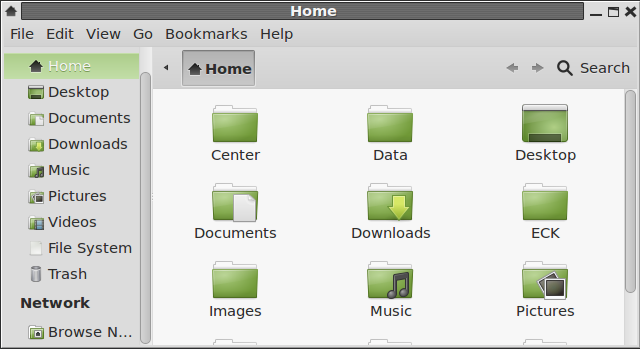
MATE Desktop is a fork of the GNOME 2 desktop, with a file manager named Caja, not Nautilus. It is a new project, and currently, does not function as well as a GNOME 2 desktop. In other words, it is still buggy. A lot more so than the other desktop options. When you think about MATE, just imagine previous versions of Linux Mint running the GNOME 2 desktop. This screen shot shows the desktop with the Favorites view of mintMenu.

And this is the Applications view of the same desktop. An interesting bug I observed while using the search feature of the menu, is that if the search string is “user,” the system will freeze completely. But it will come back to life if you sit back for a few minutes. I have no idea why, but that is what happens every time, whether the system is in a virtual environment or on real hardware. And it does not happen with any other 4-letter word, just “user.” Try it on your system to see if you can reproduce it.

Another problem I encountered, was while trying to download additional backgrounds from the configured website; the website has nothing to do with MATE, the desktop environment, but with MATE, the Maryland Association of Teacher Educators. Not that it matters, but that website has not been updated since 2009.

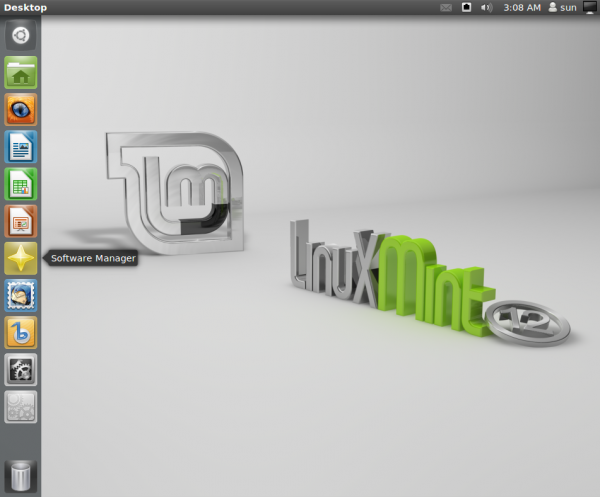
Ubuntu Desktop: With just one minor tweak, I was able to get the Unity desktop in Linux Mint 12. The only discernible difference between it and Unity in Ubuntu, is that out of the box, the Launcher has fewer application icons. Other than that, you get the same experience that you would using an installation of Ubuntu. Shown below is a screen shot of the default desktop.

And this is one showing entries in the user profile widget.
Final Thoughts: The default configuration of Linux Mint 12 (with GNOME 3 and MGSE) is messier than a stock GNOME 3 desktop. I find the whole setup constantly in the way. It does not offer a very good user-experience. It is going to be mighty tough to recommend Linux Mint 12 to anybody. But this is a distribution, based on this latest release, that some segments of our community have managed to crown as the flagship Linux distribution, simply because it now sits atop a list on Distrowatch. If the GNOME line of desktop environments were all we have, I would have given up on Linux on the desktop this year.
But thankfully, there are other options, much better options. But that is just my opinion. Beauty, as they say, is in the eyes of the beholder.
Resources: You may download 32- and 64-bit DVD and CD installation images of Linux Mint 12 here. The DVD image comes with both free and non-free applications and codecs, while the CD image lacks non-free codecs. Support questions may be posted at the Mint forums and at Questions & Answers.
Screen Shots: View a few more screen shots from test installations of Linux Mint 12.
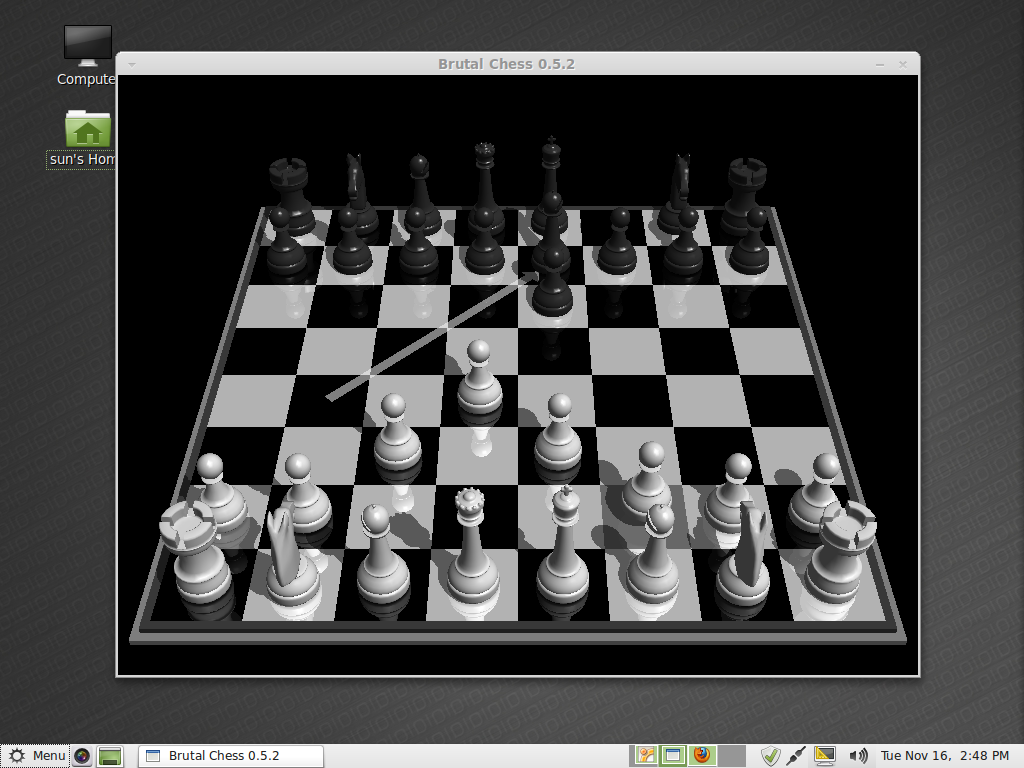
Like every Linux Mint edition that I have ever used or reviewed, a new installation of Linux Mint 12 has no games installed. But that did not stop it from having a Game category in the menu.

Workspace switcher view of the Unity (Ubuntu)

Applications view of the Linux Mint 12 Unity (Ubuntu) desktop.


Subscribe by email

At first when I started using Mint 12 had all kinds of problem, freezing,screen goes blank and some hardware problems with drivers. So I figure I would try backing everything up and do a complete install instead of a upgrade and now everything is working Great on my Aleinware M15 X. Been using mint 12 for around a month now and will never switch back to windows!!!
Welcome to freedom!
I have a fully updated install of Linux Mint 12 installed in a 100 GB test partition on my hard drive running on a quad core machine with 8 GB memory and an Nvidia GT 430 video card. With the latest updates installed I find Gnome (gnome-shell + MGSE) and MATE to be remarkably stable. With MATE I’ve added the MATE ‘Tridex’ repos so I get the latest fixes as soon as they’e uploaded to the update servers. MATE was only included in Linux Mint 12 for feedback purposes in the first place and should be fully ready by Linux Mint 13. Even now though, those average users who have used previous versions of Linux Mint with Gnome 2.32 would be hard pressed to tell the difference between MATE and Gnome 2.32 after the latest round of updates.
As far as the default ‘Gnome’ DE is concerned I rather agree that MGSE is rather an unfinished, clunky approach to making Gnome3/gnome-shell more comfortable to use than just plain vanilla gnome-shell. So it might be interesting to know that Clement Lefebvre has come to the same conclusion so he’s dropping the MGSE approach for Linux Mint 13 and is currently working on an entirely new fork of gnome-shell that he and the Mint devs are building to their own specifications. The new fork is called “Cinnamon” and is available for testing right from the Mint repos themselves so you can easily install it via Synaptic (install ‘cinnamon-session’ then logout, select ‘Cinnamon’ from the DE drop down menu and log back in again). It’s very alpha right now but what’s there is surprisingly stable as it was forked from the latest stable release of gnome-shell (3.2.1). I’m running it as my main DE at the moment and it’s looking very promising even in it’s very early state.
I got it, nevermind the question!
“I would rather use GNOME 3 in Fallback mode than MATE”
Me too, but how do I enable the fallback mode in gnome3?
Choose” GNOME Classic” from the login screen’s menu.
Linux Mint 12 looks pretty cool. I tried the RC verison but for some reason my touch pad goes nuts and with a mouse, I’ll start typing and it will like click where my mouse cursor is out of the blue making it impossible to type.
Either way I’m going to install the new version 12.
Its an awesome review. One more review for my fellow users : http://www.eostech.in/2011/12/linux-mint-12-lisa-review.html
I suppose Mint works fine for English users. But if I want a Swedish version of it just are a mess, English and Swedish are mixed. The language pack is broken:
https://bugs.launchpad.net/linuxmint/+bug/902486
Ubuntu got the same problem and it’s not fixed yet.
So in my case I will continue with Pardus 2011.2
Stabile and works fine.
As a Mint user I have to agree with most of the points about MSGE, MATE and the Mint version of Gnome 3 shell. It gets in the way, looks rather half-baked and it feels as though you are actually fighting the desktop rather than being productive with it. The dev team will definitely fix things as Gnome 3 matures and extensions are created, but for now the fit and polish of prior Mint versions (before Mint 11) has been lost.
None of this is the fault of developers of any distro trying to wrestle Gnome 3 into something users may like better than the vanilla offering of Gnome shell, but I expect the Mint dev team will end up with the nicest desktop experience once again as the desktop environments mature.
That sums it better than anything I have ever written on this subject.
Another amateur review why do you people bother what has unity to do with Linux Mint . I have tried mint on my hard drive yes installed. I have been using Gnome 3 shell in Arch Linux since it was released and to me Mint is very amateurish compared to what you can do with Gnome shell this is because they hung on to the dinosaur Gnome 2 for to long the thing with Arch you get the vanilla version with the least deps then you build your own system as you like it not relying on somebody else’s vision of what you want. Clem is at least trying so full marks there but has to play catch up I find the shell does not get in your way nor slow you down but you need to use it for a while to learn and a virtual box is not the way.
No matter. I like mint 12.
I started trialling Linux Mint 11 for my staff. It’s a nice solid system. I probably will install it on their computers.
However, I am running Linux Mint 12 on my desktop and am finding it one of the most frustrating experiences as the desktop regularly crashes: all windows become non responsive and the only key press combinations that work are the ones to drop to the commandline (Ctrl-Alt-F1 etc.).
Sometimes after one of these desktop crashes when I log back into Gnome I am faced with a completely blue screen. No panels, bars, windows -nothing. The only thing that works in these cases is the right-click menu. This requires dropping to the commandline again and removing all Gnome configuration directories before I get a working desktop again.
I will not be using Mint 12.
I have the same experience! i am going to Mint Debian…
Interesting perspective. You say “But thankfully, there are other options, much better options. But that is just my opinion.” Would you mind listing here in the comments some of the better options? Thanks
Top 6 KDE distributions of 2011 is a good place to start.
I think the last screenshot is the Activities view of the GNOME Shell environment. (It’s titled as “Applications view of the Linux Mint 12 Unity (Ubuntu) desktop.”)
I am impressed with Mint’s respect for the community’s feedback & want the distro to ‘succeed’. But I’d have to say, quite a balanced review … hopefully the problems will be ironed out in the next release.
With the Linux desktop in this state of chaos, no doubt a result of chronic development partitioning and strong egos, I’ve decided I’ll try to stick to openSUSE 11.4 (the last version with Gnome 2) for as long as I can. When that dies and if no real, usable choice exists for Linux, I’ll just return to Windows. Open source and architecture superiority are all nice and good, but in the end of the day, you need an easy, consistent way to use your computer.
There are other desktop environments besides Gnome. Why not try one instead of just giving up and going to M$.
Finally a review that doesn’t praise Mint 12 just because it is Mint. I see Mint 12 as a necessary step in order to keep up with the Ubuntu Gnome 3 base. To me it looks like work in prgogress, but not so much like an usable desktop. MATE is buggy to the point, where it is worse than Mint 7 (the first Mint I worked with). Gnome 3 & MGSE might look and pretend to be familiar to previous Mint desktops, but one is constantly reminded, it’s just the looks. On an 10″ netbook the 2 panels take away a lot of space. I haven’t found an option to “auto hide” either top or bottom panel. The usable workspace is sandwiched in between these two panels.
After the Mint 12 frustration, I have started using Ubuntu 11.10 with the Unity desktop and find it more stable and workable than the minty mess. After installing the multimedia codecs, JAVA and a few programs, Ubuntu 11.10 offers the same qualities under the hood as Mint and that with a less disappointing desktop experience.
I don’t want to discredit the efforts of the Mint team, I am sure they will continue the good work and come up with a better solution in the one of the following releases. But this one is certainly not for me. Maybe it would be better to leave the Gnome 3 base behind and use another desktop environment in order to adopt and customise it for the Mint user community. I will see, how far I will get with Unity and will also look at KDE 4 as an alternative.
Mint 12 would be a lot better if one could disable the top panel, and install an extension that disables auto-creation of workspaces.
Hello, have you had a look at the gnome extension website?
extensions.gnome.org
You can go on there and just switch the extensions on and off, very awesome website, they have installable menus, auto-hide top bars, you can install maximus and there an add on to put the min,max,close buttons on the top bar, add a bottom bar, add a window list etc…. etc… have a look it might just help you out and stop you being frustrated with Gnome3.
Wolfie,
P.s. I am not a big fan of gnome3 either I find it very very frustrating but it is still one of the big two desktops out there…. for better or worse I think we are stuck with it for now
Yep, I’ve used that website, and I have installed or enabled some of the extensions on Mint 12. The net effect of enabling some of them is the system looks very inflexible. May be that’s is not the right word, but they look like a fake boob on the system.
I know the feeling, in the end I disabled the MGSE got rid of the bottom panel completely, there is an extension that moved the time/ date to the right of the screen, put the extension for open apps on and replaced activities with a menu……
I have to say I dont mind it to much now, it is still not as usable as gnome2 though
Wolfie.
‘MATE is buggy to the point, where it is worse than Mint 7′
I’m not sure what kind of Hardware you have, but it sounds like its not very linux compatible. Mint 7 was by far the most stable and usable Mint release so far, and MATE has been absolutely flawless on my systems. Far more stable than Gnome-Shell has.
I had an Nvidia graphics card, that was either faulty or just didn’t like Debian / Ubuntu / Mint.
It worked a lot better under Fedora back then, not quite 100% though.
I tried the following Mint releases with a newer graphics card and had no problems at all, until this Mint 12.
If you are having issues with the newer graphics card in Mint 12, then the problem must be Ubuntu-wide because Mint 12, as you know, is based on Ubuntu 11.10.
Have you tried installing Ubuntu or any other Ubuntu-based distro on that PC?
I don’t have any hardware problems, MATE is just buggy. Ubuntu 11.10 runs fine on my Aspire One and on my PC.
