Finally, it’s here! After almost a year since the last stable release, installation images of PC-BSD 9.1 hit a download mirror near you. (PC-BSD is a multi-purpose distribution based on FreeBSD.)
And it comes with a lot of goodies, especially for intermediate to advanced users, or for those that want to use with what intermediate to advanced users play with.
Some highlights of this release are: FreeBSD 9.1 forms the core; users can install a server system called TrueOS, which features PC-BSD utilities like Warden; improved system installer which has been simplified for desktop and server installations, support for ZFS mirror/raidz(1,2,3) during installation; ZFS beadm support; support for Swap on ZFS, allowing entire disk ZFS installation; support for setting additional ZFS data-set options, such as compression, noexec, etc.
Aside from a detailed review, which should be published sometime next week, expect a handful of tutorials based on this latest release. Meanwhile, here are some screen shots from test installations in a virtual environment.
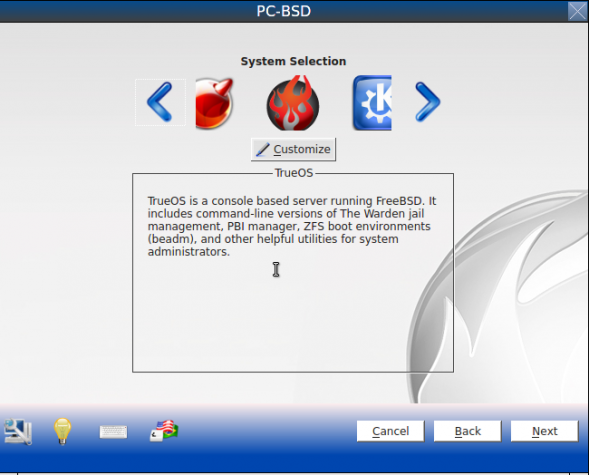
The installer makes it easy to install any type of system you like. Want a FreeBSD or a TrueOS server? That’s easy.

Looking to install a desktop system? You have four options – KDE, GNOME 2 (no GNOME 3), LXDE and Xfce.

The installer’s hardware detection utility.

System requirements for ZFS and UFS file systems.

Default partitioning scheme uses UFS file system.

If you do not like the default partitioning scheme, you have the option to configure a custom set of partitions.

ZFS mirror and RAIDz options.

GPT is supported.

Disk encryption is supported, but the installer allows a 1-character disk encryption passphrase to be set.

File system mount points when using ZFS.

Mount points with ZFS and disk encryption.