The main objective of this blog is to help narrow down the list of Linux- and BSD-based distributions that a new user will feel comfortable using. Distributions that provide the same or better level of user-friendliness than the malware-infested and DRM-riddled operating system that they currently use. With more than 600 distributions listed at Distrowatch (only about 300 of which are active), finding the perfect distribution, or finding the one that fits your particular usage requirements can be daunting.
But what are the features that define a perfect desktop distribution? When I review any desktop distribution, here are the list of features I’m looking for:
Editor’s note: This article was written by John Sullivan in February of 2006. While the date of original publication is old, the points discussed are still in play today. If you’ve never read this, or are new to the concept of Free Software, this short article is worth reading.
This is a response to an article by John Carroll, addressing his criticisms of the FSF’s opposition to Digital Restrictions Management (DRM).
John Carroll is correct in his article, “A utilitarian conception of the GPL”, that the GNU GPL is designed to uphold ideals. He is wrong about what those ideals are, and about what their relationship is to free software development models.
Carroll tries to concoct a division between the GPL’s practical application and its ideals. Apparently he wants to argue that the language about Digital Restrictions Management (DRM) in the current draft of the GPL version 3 is just ideology needlessly slathered on top of a practical development model.
from the Free Software Foundation
We maintain this free software definition to show clearly what must be true about a particular software program for it to be considered free software. From time to time we revise this definition to clarify it. If you would like to review the changes we’ve made, please see the History section below for more information.
Free software is a matter of liberty, not price. To understand the concept, you should think of free as in free speech, not as in free beer.
One of the advantages of using Free Software applications and operating systems is choice. Plenty to choose from. Not satisfied with one, switch or pick another one. If the switch involves different flavors of Linux or BSD operating systems (distros), it’s called distro hopping. When it comes to picking a firewall and router, you want to limit how often you distro-hop. In fact, better not to distro-hop at all. You want to pick the best, or more aptly, the one with all the features that you need, set it up, and forget about it. Or at least ’til it’s time to update your firewall rules or update the system.
The point of this article is to present to you the firewall and router distributions that – based on personal experience – are the best in their category. These are firewall-cum-router distros with the most features (basic and advanced), and have a graphical management interface that is very intuitive to use.
Is there such a thing as a perfect Linux or BSD desktop distribution? If so, what features and functionalities would such a distro have for it to have attained that high state – of perfection (on the desktop)? And perfect for what group of users? Geeks or non-geeks? In order to answer these questions, we set out here the most important features we expect a modern Linux or BSD desktop distribution to have.
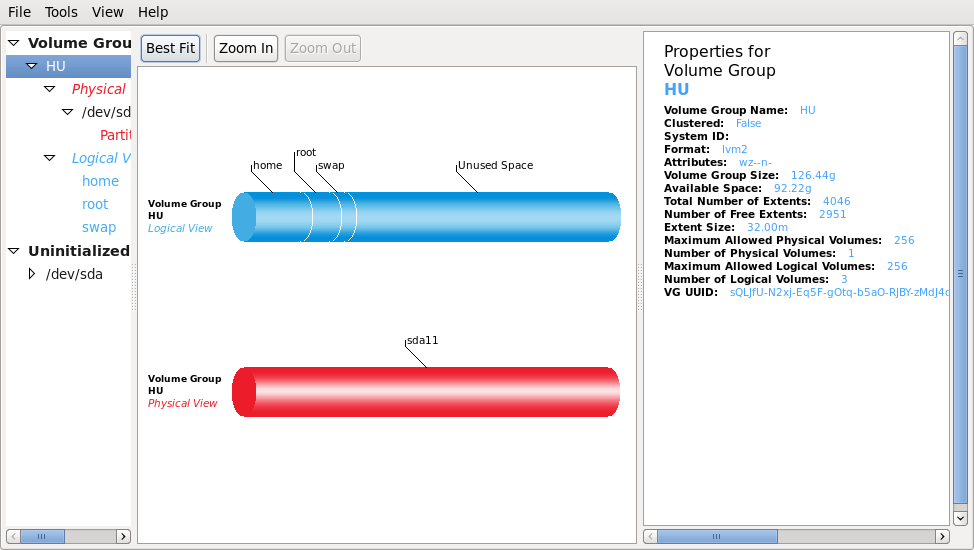
A number of tutorials have been published on this site, written with the non-expert user in mind. Most of the tutorials have been on how to configure Linux Logical Volume Manager (LVM) in the Linux distros with support for it. To make it easier to find these tutorials, we a listing them all in this post. So here they are in order of their date of publication:
This is the first of a three-part series, designed to introduce new users to the concept of logical volume management in Linux. To have the others delivered automatically to you, you may subscribe to our RSS feed by clicking on the RSS icon diagonally above this paragraph
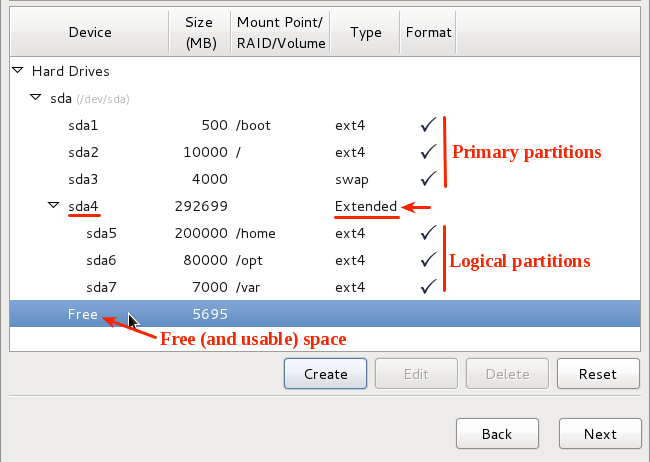
Logical Volume Management is a method of partitioning hard disk drives that provides more flexibility in managing storage space than the traditional method of disk partitioning. The Linux version, Logical Volume Manager or LVM, has been a feature of the Linux kernel since about 1999, and was contributed (to the Linux kernel) by Sistina Software, Inc, a company that was later acquired by Redhat.